Tamilnad Mercantile Bank (TMB) is a respected private sector bank in India that combines traditional banking values with modern digital services. One of its key offerings for customers is NEFT (National Electronic Funds Transfer) — a secure method to transfer money from one bank account to another across India. Whether you’re paying utility bills, sending money to family, or making vendor payments, NEFT is a trusted choice.
In this article, we’ll provide a detailed guide on Tamilnad Mercantile Bank NEFT charges, timings, limits, and how to transfer money using NEFT.
What Is NEFT?
NEFT stands for National Electronic Funds Transfer, an electronic payment system regulated by the Reserve Bank of India (RBI). It enables customers to transfer funds from one bank account to another, regardless of the bank, anywhere in India.
NEFT operates in settlement batches, typically every half an hour throughout the day. Once a transfer is initiated, the funds are processed and usually credited to the beneficiary’s account within 30 minutes to a few hours, depending on batch timing.
NEFT is widely used for routine transactions such as vendor payments, salary transfers, personal remittances, and more.
Tamilnad Mercantile Bank NEFT Charges
Tamilnad Mercantile Bank follows RBI guidelines and offers a flexible NEFT fee structure depending on how the transaction is carried out.
Online NEFT Charges
- Internet Banking: Free
- Mobile Banking App: Free
Tamilnad Mercantile Bank provides zero charges for NEFT transactions initiated through its digital platforms — internet banking and mobile banking. This makes online transfers free, fast, and cost‑effective, encouraging customers to embrace digital banking.
Branch NEFT Charges
If you prefer to initiate NEFT at a bank branch, nominal charges may apply based on the amount being transferred:
| Transaction Amount | Approx. Branch NEFT Charges (Excl. GST) |
| Up to ₹10,000 | ₹2.50 |
| ₹10,001 – ₹1 lakh | ₹5.00 |
| ₹1 lakh – ₹2 lakh | ₹15.00 |
| Above ₹2 lakh | ₹25.00 |
GST (Goods and Services Tax) is applicable on these charges where required.
While branch NEFT charges are modest, online NEFT transfers are completely free, making digital channels the most economical choice.
Tamilnad Mercantile Bank NEFT Timings
Online NEFT
Thanks to RBI’s extended NEFT availability, customers can initiate NEFT 24×7 — all days of the year, including Sundays and bank holidays, using internet banking or the mobile banking app. This round‑the‑clock service means you can transfer funds anytime without being tied to banking hours.
Branch NEFT
If you choose to initiate NEFT at a bank branch, the service is available during normal banking hours:
- Monday to Friday: Typically 10:00 AM – 4:00 PM
- Saturday: Shorter business hours (varies by branch)
Even if the transaction is submitted at a branch, the actual settlement is processed in scheduled NEFT batches throughout the day.
Tamilnad Mercantile Bank NEFT Limits
NEFT does not have a mandatory minimum or maximum limit set by the RBI. However, Tamilnad Mercantile Bank may impose internal limits based on the channel you use:
| Mode of Transfer | Minimum Amount | Approx. Daily Limit |
| Internet Banking | ₹1 | ₹10 lakh/day (approx.) |
| Mobile Banking App | ₹1 | ₹5 lakh/day (approx.) |
| Branch Transfer | ₹1 | No fixed upper limit |
| Walk‑in Cash Transfer | — | ₹50,000 per transaction |
Most retail customers can transfer up to ₹10 lakh per day via online channels. For higher limits, customers may apply through the bank’s customer service or visit a branch based on account type and profile.
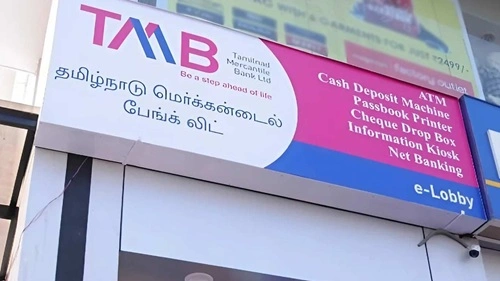
How To Transfer Money via NEFT in Tamilnad Mercantile Bank
Here’s a simple step‑by‑step guide to NEFT transfers:
Step 1 — Log In
Visit the official Tamilnad Mercantile Bank website https://tmb.bank.in/
Login to your Internet Banking account or open the Mobile Banking App.
Step 2 — Add Beneficiary
Navigate to Funds Transfer → Add Beneficiary/Manage Payee and enter:
- Beneficiary Name
- Bank Account Number
- IFSC Code (Tamilnad Mercantile Bank IFSC starts with TMBL0…)
Submit and save. Beneficiary activation may take some time due to system and security checks.
Step 3 — Initiate NEFT
Once the beneficiary is active:
- Select the beneficiary
- Enter the transfer amount
- Choose NEFT as the transfer mode
- Add optional remarks if needed
Step 4 — Authenticate
You’ll receive an OTP (One‑Time Password) or a prompt for your transaction PIN. Enter it to confirm the payment.
Step 5 — Confirmation
After a successful transfer, save or screenshot the UTR (Unique Transaction Reference) number for tracking or future reference.
Benefits of NEFT with Tamilnad Mercantile Bank
- Free online transfers
- 24×7 accessibility via digital channels
- Safe and RBI‑regulated system
- Easy transfers via net banking and mobile apps
- Suitable for both small and larger transfers
Important Tips for Users
- Always verify the beneficiary account number and IFSC code before finalizing the transfer.
- Add beneficiaries ahead of time to avoid delays.
- Prefer online channels for smoother, faster, and free transactions.
- In rare cases of failed transfers, the amount is usually reversed within 1–2 working days.
Conclusion
Tamilnad Mercantile Bank’s NEFT service is a secure, convenient, and cost‑effective way to transfer money across India. With zero charges for online transactions, flexible limits, and round‑the‑clock availability, it is suitable for everyday banking needs — whether personal or business.
To get the best experience, customers should use internet or mobile banking when initiating NEFT transfers — quick, easy, and free.