An ATM transaction timeout can create real tension, especially when cash is not dispensed but money is debited from your wallet, UPI account, or linked bank account. This may happen during cardless cash withdrawal, UPI ATM withdrawal, QR-based ATM withdrawal, or any wallet-linked cash withdrawal attempt at a Punjab National Bank ATM.
The important thing is this: if the ATM transaction failed and cash was not dispensed, the amount should normally be reversed. RBI rules say that when a customer’s account is debited but cash is not dispensed, the failed ATM transaction must be reversed within T+5 calendar days, and delay beyond that attracts ₹100 per day compensation. Here, “T” means the transaction date.
What Does ATM Transaction Timeout Mean?
ATM timeout means the machine, bank server, wallet system, or payment network did not complete the transaction within the required time. The ATM may show messages like:
- “Transaction timed out”
- “Transaction failed”
- “Unable to process”
- “Session expired”
- “Please try later”
- “Cash not dispensed”
Sometimes the wallet or bank account gets debited before the ATM confirms cash dispensing. In such cases, the system may automatically reverse the amount after reconciliation.
Why Wallet Gets Debited but Cash Is Not Dispensed
This problem can happen due to several reasons. The ATM may lose network connection after receiving transaction approval. The wallet or UPI system may approve the debit, but the ATM may fail to dispense cash. The ATM may also run out of cash, face cassette error, software failure, switch timeout, or server delay.
In QR-based or cardless ATM transactions, more systems are involved: wallet app, UPI/payment network, issuing bank or wallet, acquiring bank, and ATM switch. If any one part fails, the transaction may time out even after debit.
First Step: Do Not Try Repeated Transactions Immediately
If the amount is debited but cash is not received, do not immediately repeat the same transaction multiple times. Wait for the SMS, app notification, or transaction status update.
Repeated attempts can create more failed debits and more confusion. First check whether the transaction is marked as failed, pending, successful, or reversed in your wallet or banking app.
Check Transaction Status in Wallet or App
Open the wallet or UPI app from which money was debited. Check the transaction history. Note the transaction ID, UTR number, date, time, amount, ATM location, and status.
If the status is “pending,” wait for automatic update. If the status is “successful” but cash was not received, raise a complaint immediately through the wallet app or bank support.
If the money was debited from your PNB account, use PNB One, internet banking, customer care, or branch support to raise the complaint.
Keep the ATM Details Safe
Before leaving the ATM location, note down important details:
- ATM location
- ATM ID, if visible
- Date and time of transaction
- Amount entered
- Amount debited
- Transaction reference number
- Wallet transaction ID or UTR
- SMS alert details
- Whether any receipt was printed
- Exact error shown on ATM screen
These details help the bank trace the transaction through ATM logs, electronic journal records, and network settlement data.
Raise Complaint with the Wallet or Issuing Bank
If the amount was debited from a wallet, raise the complaint in that wallet app first. The wallet or issuing bank is usually the place where your debit happened. Choose options like “cash not received,” “ATM withdrawal failed,” “transaction failed but amount debited,” or “raise dispute.”
If the wallet transaction was linked to UPI, raise a dispute using the UPI transaction ID or UTR. Do not delete the app or clear transaction history until the issue is resolved.
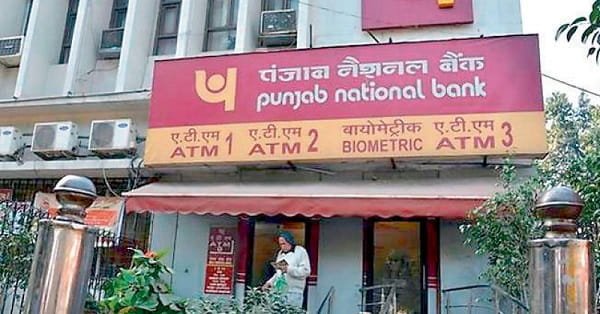
Raise Complaint with Punjab National Bank
If the failed withdrawal happened at a Punjab National Bank ATM, you can also report the issue to PNB. PNB lists customer care numbers 1800 1800, 1800 2021, and paid number 0120-2490000. PNB also provides complaint support through email at care@pnb.bank.in and SMS complaint facility by sending “COMPLAINT” to 5607040.
PNB also has an online complaint form where customers can submit grievance details. Use the official PNB website only and avoid third-party complaint links.
Wait for Automatic Reversal
Many failed ATM transactions are reversed automatically after bank reconciliation. This may not happen instantly. The ATM system and bank network need to confirm whether cash was actually dispensed or not.
As per RBI’s harmonised turnaround time rules, failed ATM transactions where the account is debited but cash is not dispensed should be reversed within T+5 calendar days. If delayed beyond this limit, compensation of ₹100 per day is applicable.
What If Wallet Says Transaction Successful?
If the wallet says the transaction was successful but you did not receive cash, raise a dispute immediately. Mention clearly that the ATM timed out and cash was not dispensed.
Do not simply accept the wallet status as final. Sometimes the wallet may show success because the debit was processed, but the ATM cash dispense confirmation may still need investigation.
Ask for dispute tracking number or complaint reference number. Keep screenshots of the wallet transaction, SMS alert, and complaint acknowledgment.
What If PNB Says Contact Wallet Provider?
This can happen when the money was debited from a wallet or another bank account, but the ATM belonged to PNB. In such cases, both sides may be involved.
Your first complaint should usually go to the wallet or bank from which money was debited. At the same time, you can report the ATM-side failure to PNB with ATM location and transaction details. The issuing bank/wallet and acquiring bank can then coordinate through the payment network.
When to Escalate the Complaint
Escalate the complaint if:
- The amount is not reversed within T+5 calendar days
- Wallet support marks the complaint closed without refund
- PNB does not provide proper response
- Cash was not received but transaction is shown successful
- No complaint reference number is given
- The same ATM has repeated failed transactions
PNB’s grievance redressal page says unresolved complaints may be escalated through its customer care and Principal Nodal Officer route.
If the complaint remains unresolved after the bank/wallet process, you may approach the RBI Integrated Ombudsman through the official RBI complaint mechanism.
Safety Tips
Never share OTP, UPI PIN, ATM PIN, wallet PIN, debit card number, CVV, or mobile banking password with anyone. Bank staff, wallet support, ATM guards, or customer care agents should not ask for these secret details.
Do not scan QR codes pasted near the ATM. Do not accept help from strangers inside or near the ATM. If someone says they can reverse the money immediately by taking your phone, treat it as a fraud risk.
Use only official PNB numbers, official wallet support, official banking apps, and official complaint portals.
FAQs
Q1. What should I do if my PNB ATM transaction timed out but wallet was debited?
A: Check the wallet transaction status, note the ATM details, save the transaction ID, and raise a dispute in the wallet app. Also report the failed ATM transaction to PNB if the ATM belonged to Punjab National Bank.
Q2. Will the debited amount come back automatically?
A: In many cases, yes. Failed ATM transactions are usually reversed after reconciliation. RBI requires reversal within T+5 calendar days when the account is debited but cash is not dispensed.
Q3. What is T+5 in ATM failed transaction rules?
A: T+5 means five calendar days from the transaction date. If the transaction happened on Monday, the reversal should happen within five calendar days after that, subject to the rule’s conditions.
Q4. Can I get compensation for delayed reversal?
A: Yes. RBI rules mention compensation of ₹100 per day for delay beyond T+5 calendar days in failed ATM transactions where the customer was debited but cash was not dispensed.
Q5. Should I complain to PNB or wallet company?
A: Complain first to the wallet or bank from which money was debited. If the failed transaction happened at a PNB ATM, also keep PNB informed with ATM location, time, and transaction details.
Q6. What details are needed for complaint?
A: You need date, time, amount, ATM location, ATM ID if available, wallet transaction ID, UTR/reference number, SMS alert, and screenshot of the failed or debited transaction.
Q7. What if there is no ATM receipt?
A: You can still file a complaint. ATM receipt is helpful, but SMS alert, wallet transaction history, UTR, date, time, and ATM location are also useful.
Q8. Can I try another withdrawal immediately?
A: It is better to wait and first confirm the status of the failed transaction. If you urgently need cash, use another safe method, but avoid repeating the same failed process again and again.