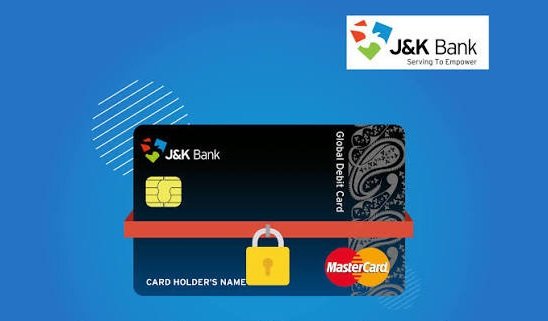
Setting up a new Jammu and Kashmir Bank debit card is now largely a self-service process. J&K Bank provides its Green PIN facility so customers can create their own four-digit debit card PIN through an ATM or the mPay Delight+ Mobile Banking app, instead of depending only on a pre-generated PIN.
The same Green PIN facility can also be used when an existing cardholder forgets the ATM PIN and needs to create a new one. Once the PIN has been successfully set, the card can be used for permitted domestic ATM and Point-of-Sale transactions.
However, not every transaction type is enabled automatically. J&K Bank states that debit cards are disabled by default for e-commerce, contactless and international usage. These facilities have to be enabled separately when required.
What Do You Need to Set Up a J&K Bank Debit Card?
Keep the following ready:
- J&K Bank debit card
- Mobile number registered with J&K Bank
- Access to the registered mobile for receiving OTP
- mPay Delight+ access if using Mobile Banking
- Transaction PIN or TPIN if using the app
A correctly registered mobile number is particularly important for ATM Green PIN generation because J&K Bank sends the OTP to that number.
If the OTP does not arrive, J&K Bank advises customers to contact their branch and check whether the correct mobile number is registered with the account.
How to Activate a New Jammu and Kashmir Bank Debit Card
J&K Bank’s current debit-card instructions do not require customers to complete a separate digital “Activate Card” procedure for normal domestic ATM/POS usage.
The practical setup process is:
- Generate the four-digit Green PIN.
- Use the card at a J&K Bank ATM or eligible POS terminal.
- Enter the newly generated PIN.
- Complete a small transaction.
- Enable additional facilities such as e-commerce, contactless or international transactions separately if you require them.
J&K Bank states that debit cards can be used at ATMs in India, while e-commerce, contactless and international usage remain disabled until enabled separately.
Therefore, Green PIN generation is the most important first-time setup step for a new debit card.
J&K Bank Debit Card Green PIN Generation Through ATM
J&K Bank provides a clear two-stage Green PIN process through its ATMs.
Green PIN is available for both:
- First-time PIN generation
- Regeneration of a forgotten ATM PIN
Step 1: Generate the OTP
- Visit a J&K Bank ATM.
- Insert your debit card into the ATM.
- Select your preferred language:
- English
- Hindi
- Urdu
- The ATM will display two options:
- Generate PIN
- Enter PIN
- Select Generate PIN.
- Select Generate OTP.
- An OTP will be sent to the mobile number registered with J&K Bank.
- The debit card will automatically be ejected after OTP generation.
Keep the OTP ready for the next step.
Step 2: Validate the OTP and Set the PIN
After receiving the OTP:
- Reinsert your debit card into the J&K Bank ATM.
- Select your preferred language.
- Select Generate PIN
- Choose Validate OTP.
- Enter the OTP received on your registered mobile number.
- After successful OTP validation, the ATM will ask you to create a PIN.
- Enter your preferred four-digit debit card PIN.
- Enter the same PIN again for confirmation.
- Wait for the ATM confirmation message.
Once confirmation appears, your new PIN is ready for use.
The four-digit number you choose becomes the regular PIN for future ATM and PIN-authenticated debit-card transactions.
J&K Bank Debit Card PIN Generation Through mPay Delight+
J&K Bank’s current Mobile Banking application is mPay Delight+.
The app provides direct Green PIN generation and reset, making an ATM visit unnecessary for customers who already have Mobile Banking access.
Follow these steps:
- Log in to the J&K Bank mPay Delight+
- Go to Services and Requests on the home page.
- Select Debit Card.
- Choose Set/Reset PIN.
- Enter a new four-digit PIN.
- Enter the same PIN again to confirm it.
- Enter your Transaction PIN or TPIN to authenticate the request.
- Submit the request.
- A confirmation popup will appear after successful PIN creation.
Your new PIN is then ready for future debit-card transactions.
This method can be used for both first-time Green PIN generation and PIN reset.
How to Change an Existing J&K Bank Debit Card PIN
If you remember your current PIN but want to replace it, J&K Bank ATMs provide a normal PIN Change facility.
Follow these steps:
- Visit a J&K Bank ATM.
- Insert your debit card.
- Enter your existing PIN.
- Select PIN Change.
- Enter your new four-digit PIN.
- Re-enter the new PIN.
- Confirm the transaction.
J&K Bank also allows customers to manage and change debit-card PINs through mPay Delight+.
Avoid choosing a PIN based on:
- Date of birth
- Mobile-number digits
- Vehicle registration number
- Repeated numbers such as 1111
- Simple sequences
J&K Bank specifically advises cardholders to avoid PINs that can easily be associated with them.
What If You Forget Your J&K Bank Debit Card PIN?
You do not need to remember the old PIN to create a fresh one.
J&K Bank’s Green PIN facility specifically supports PIN regeneration for forgotten ATM PINs.
You can reset it through:
- J&K Bank ATM
- mPay Delight+ app
At an ATM, use:
Generate PIN → Generate OTP → Validate OTP → Set New PIN
In mPay Delight+, use:
Services and Requests → Debit Card → Set/Reset PIN
After successful verification, choose a new four-digit PIN.
What Happens If You Enter the Wrong PIN Three Times?
J&K Bank warns that entering an incorrect PIN three times can invalidate the debit card for the rest of the day, and in some circumstances the ATM may retain the card.
If this happens:
- Do not continue attempting random PIN combinations.
- If the card is retained, contact the ATM custodian and your J&K Bank branch.
- If you have forgotten the PIN, use the Green PIN reset facility.
- Contact J&K Bank if the card remains unusable.
The bank specifically warns customers about three consecutive incorrect PIN attempts.
How to Enable Online Transactions on a J&K Bank Debit Card
A new debit card may work at an ATM or physical store but fail when used on an e-commerce website.
This is because J&K Bank states that e-commerce transactions are disabled by default on debit cards under the applicable card-security framework.
The mPay Delight+ app provides debit-card management facilities for e-commerce and purchase transactions.
The general process is:
- Log in to mPay Delight+.
- Go to Services and Requests.
- Select Debit Card.
- Select your debit card.
- Open card services or transaction controls.
- Enable E-commerce/Purchase Transactions.
- Set the required transaction limit.
- Authenticate using TPIN.
- Confirm the change.
J&K Bank confirms that mPay Delight+ allows customers to manage debit-card e-commerce, purchase, contactless and international services and set transaction limits.
How to Manage Debit Card Transaction Limits
mPay Delight+ also allows customers to set debit-card transaction limits.
After selecting the debit card:
- Open the debit-card management section.
- Select the required transaction service.
- Set or modify the permitted transaction limit.
- Confirm the change using the required authentication.
The maximum limit available depends on the debit-card variant.
J&K Bank issues several variants, including:
- Mastercard World Debit Card
- Mastercard Platinum Debit Card
- Mastercard Global Debit Card
- Visa Global Debit Card
- RuPay Classic
- RuPay PMJDY
- RuPay Kisan
- RuPay Mudra
Individual ATM and purchase limits differ between these cards.
How to Enable Contactless Transactions
Contactless or tap-and-pay functionality is also disabled by default on newly issued J&K Bank debit cards.
If your card carries the contactless symbol, it supports contactless transactions subject to the card controls.
J&K Bank’s current Mobile Banking documentation confirms that contactless transactions can be managed through mPay Delight+.
To enable the facility:
- Log in to mPay Delight+.
- Open Services and Requests.
- Select Debit Card.
- Choose your card.
- Open card-management services.
- Enable Contactless Transactions.
- Set the required limit.
- Authenticate and submit the change.
J&K Bank currently states that contactless payments of up to ₹5,000 at an eligible NFC terminal in India can be completed without entering a PIN, subject to the applicable rules and limits.
How to Enable International Transactions
International debit-card usage is also disabled unless specifically enabled.
Customers with an eligible international debit-card variant can manage international usage through mPay Delight+.
The process is:
- Log in to mPay Delight+.
- Select Services and Requests.
- Open Debit Card.
- Select your card.
- Open card transaction controls.
- Enable International Transactions.
- Set an appropriate limit.
- Authenticate using TPIN.
- Confirm the request.
International card usage remains subject to the type of debit card, RBI regulations and FEMA requirements.
If you do not need international transactions regularly, keeping the international channel disabled provides better control over the card.
How to Block a J&K Bank Debit Card
If the debit card is lost or stolen, do not simply change its PIN. Block the card immediately.
mPay Delight+ allows customers to securely block or deactivate a debit card.
J&K Bank also provides debit-card block/unblock services through its official WhatsApp Banking facility.
For immediate card assistance, contact:
1800 890 2122
J&K Bank currently lists this number for debit/credit-card support and general customer care.
What Should You Do After Setting the J&K Bank Debit Card PIN?
Once the PIN has been successfully generated, make a small ATM or merchant transaction to confirm that the card works properly.
You should also:
- Check e-commerce settings before shopping online.
- Enable contactless transactions only if required.
- Enable international usage only when needed.
- Keep sensible transaction limits.
- Never disclose your PIN.
- Never share OTP, CVV or card-expiry information with another person.
- Block the card immediately if it is lost.
J&K Bank specifically warns customers never to disclose card number, CVV, PIN, expiry date or OTP, even to someone claiming to be a bank employee.
What If J&K Bank Debit Card PIN Generation Fails?
If Green PIN generation does not work, first check:
- Whether your current mobile number is registered with J&K Bank.
- Whether the OTP has been received correctly.
- Whether you are entering the latest OTP.
- Whether the correct debit card is being used.
- Whether the card has been blocked.
- Whether mPay Delight+ and TPIN are functioning correctly if using Mobile Banking.
If no OTP arrives during ATM Green PIN generation, J&K Bank specifically advises contacting the branch to register or update the mobile number.
For assistance, the current official contact details include:
Customer Care / Debit Card: 1800 890 2122
ATM Helpdesk: +91 194 2713333
Debit/Credit Card Assistance: 0194-2482463 / 2486424
These numbers are listed on J&K Bank’s current official Contact Us page.
FAQs
1. Can I generate a J&K Bank debit card PIN without visiting an ATM?
Yes. J&K Bank provides Green PIN generation through the mPay Delight+ app. Log in, go to Services and Requests → Debit Card → Set/Reset PIN, enter a new four-digit PIN, confirm it and authenticate using your TPIN. The same facility can also reset a forgotten debit-card PIN.
2. Why is my new J&K Bank debit card working at an ATM but not for online shopping?
E-commerce transactions are disabled by default. J&K Bank states that newly issued debit cards are disabled for e-commerce, contactless and international usage. These channels have to be enabled separately. mPay Delight+ provides debit-card controls for e-commerce, contactless and international transactions as well as transaction limits.
3. Can I reset my J&K Bank debit card PIN if I have forgotten the old one?
Yes. Green PIN is specifically designed for both first-time PIN generation and regeneration of a forgotten ATM PIN. You can create a fresh four-digit PIN through a J&K Bank ATM using OTP validation or through Set/Reset PIN in mPay Delight+.
4. What should I do if I enter the wrong J&K Bank debit card PIN three times?
Stop trying additional PINs. J&K Bank states that three incorrect PIN attempts can invalidate the card for the rest of the day and an ATM may sometimes retain it. If you have forgotten the PIN, use Green PIN to reset it. If the card is retained or remains unusable, contact the concerned branch or J&K Bank Customer Care at 1800 890 2122.