India’s digital payment ecosystem is evolving rapidly with the introduction of the Digital Rupee or Central Bank Digital Currency (CBDC). Several banks, including Indian Bank, now offer Digital Rupee wallet services that allow customers to make payments using QR codes at merchant outlets.
CBDC technology aims to combine the convenience of digital payments with the reliability of sovereign currency issued by the Reserve Bank of India. However, customers and merchants sometimes face QR code compatibility issues while using Indian Bank’s CBDC wallet for payments.
These problems may include failed QR scans, payment rejections, unsupported merchant QR codes, delayed confirmations, or wallet synchronization errors. This article explains the common causes behind CBDC QR compatibility issues and provides practical solutions to resolve them efficiently.
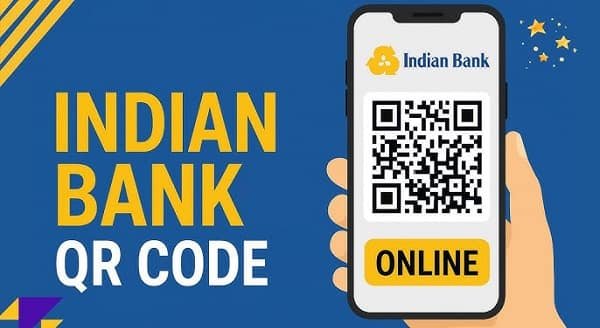
What is Indian Bank CBDC?
Indian Bank CBDC services allow users to:
- Store Digital Rupee (e₹) in a wallet
- Transfer money digitally
- Pay merchants through QR codes
- Conduct secure peer-to-peer transactions
According to Indian Bank’s CBDC platform, users can make merchant payments by scanning QR codes directly through the Digital Rupee wallet.
The RBI’s interoperability initiative also allows several CBDC apps to work with existing UPI merchant QR codes.
What Are CBDC QR Code Compatibility Issues?
CBDC QR compatibility problems occur when:
- Merchant QR codes fail to scan
- Payments remain pending
- The app shows “unsupported QR”
- Transaction confirmations are delayed
- Merchant systems fail to recognize CBDC payments
Such problems may happen at:
- Retail stores
- Grocery shops
- Restaurants
- Fuel stations
- Online merchant platforms
Common Causes of QR Compatibility Problems
1. Merchant QR Does Not Support CBDC
Although interoperability between UPI and CBDC has expanded, not every merchant QR infrastructure is fully optimized for Digital Rupee transactions yet.
Some older QR systems may still face integration limitations.
2. Outdated CBDC Wallet Application
Older app versions may lack:
- Updated QR compatibility protocols
- Security patches
- Interoperability improvements
This can result in QR scanning failures or transaction errors.
3. Poor Internet Connectivity
CBDC transactions require real-time communication between:
- Wallet servers
- Merchant payment systems
- Banking infrastructure
Weak internet connections can interrupt payment processing.
4. Incorrect QR Code Format
Damaged, blurred, or improperly generated QR codes may not be readable by CBDC wallet scanners.
5. Server Synchronization Delays
Heavy transaction traffic or temporary banking server issues may create:
- Delayed payment confirmation
- Pending transaction status
- QR scan timeout errors
6. Device Camera Problems
Low camera quality, dirty lenses, or improper lighting conditions may affect QR scanning performance.
7. Merchant Banking Integration Issues
Some merchants may not have fully activated CBDC acceptance within their payment systems despite having UPI QR codes.
How to Resolve Indian Bank CBDC QR Compatibility Issues
1. Update the Indian Bank CBDC App
Always install the latest wallet version from official platforms:
- Google Play Store
- Apple App Store
Updates often improve:
- QR interoperability
- Transaction speed
- Wallet stability
- Security systems
2. Check Internet Connectivity
Use:
- Stable Wi-Fi
- Strong mobile data connection
- Reliable network coverage
Avoid unstable internet during payment processing.
3. Ensure Proper QR Scanning Conditions
For better scanning:
- Clean your phone camera lens
- Increase screen brightness if scanning digital QR codes
- Maintain proper distance
- Avoid shadows or glare
4. Retry Using Another Merchant QR
If one QR code fails:
- Ask the merchant for an alternate QR code
- Try another payment terminal if available
Some merchants operate multiple payment systems.
5. Verify Merchant CBDC Support
Not all merchants are fully integrated into CBDC-enabled payment systems yet.
Ask whether:
- Their QR supports Digital Rupee payments
- CBDC interoperability is activated
According to RBI interoperability initiatives, compatible UPI QR codes can support Digital Rupee transactions.
6. Restart the Wallet Application
Minor technical glitches can often be resolved by:
- Closing the app completely
- Restarting the application
- Logging in again
7. Clear App Cache
Corrupted temporary files may interfere with QR processing.
For Android:
- Open Settings
- Go to Apps
- Select Indian Bank CBDC app
- Tap Storage
- Clear Cache
8. Avoid Peak Transaction Hours
High transaction volume may slow down:
- Wallet synchronization
- Merchant confirmations
- Server communication
Using the wallet during non-peak hours may improve performance.
9. Reinstall the Wallet App
If problems continue:
- Uninstall the app
- Restart your device
- Install the latest version
- Log in again
This may fix corrupted app files.
Benefits of CBDC-UPI Interoperability
The RBI’s CBDC-UPI interoperability initiative provides several advantages:
- Single QR code usage
- Easier merchant adoption
- Faster digital payments
- Improved transaction convenience
- Reduced need for separate QR infrastructure
Several Indian banks have already introduced interoperability support for CBDC transactions through UPI QR codes.
Security Tips While Using CBDC Wallets
1. Use Official Apps Only
Download wallet applications only from trusted sources.
2. Avoid Public Wi-Fi
Use secure internet connections during financial transactions.
3. Protect Your Login Credentials
Never share:
- OTPs
- Wallet PINs
- Passwords
4. Monitor Transaction Alerts
Enable SMS and email notifications for instant updates.
5. Keep Your Device Updated
Regular software updates improve security and compatibility.
Future of CBDC Merchant Payments in India
India’s CBDC ecosystem is still developing rapidly. The RBI and participating banks are working toward:
- Better QR interoperability
- Offline CBDC capabilities
- Faster merchant integration
- Improved wallet performance
- Enhanced payment reliability
Recent pilot projects also indicate broader CBDC expansion into public distribution and subsidy systems.
Conclusion
Indian Bank’s CBDC wallet represents an important step toward the future of digital payments in India. While QR code compatibility issues may occasionally occur because of interoperability limitations, network problems, or outdated systems, most problems can be resolved through simple troubleshooting methods.
As India continues expanding its Digital Rupee ecosystem, CBDC merchant payments are expected to become faster, smoother, and more widely accepted across the country.
FAQs
Q: Why is my Indian Bank CBDC wallet unable to scan merchant QR codes?
A: This may happen due to outdated wallet versions, unsupported merchant QR systems, internet issues, or camera-related problems.
Q: Can all UPI QR codes accept CBDC payments?
A: Many UPI QR codes now support CBDC interoperability, but some merchants may still lack complete integration.
Q: What should I do if my CBDC payment remains pending?
A: Wait for some time, check your transaction history, and avoid repeated payment attempts immediately.
Q: Is the Digital Rupee wallet secure?
A: Yes, CBDC wallets use RBI-backed banking infrastructure and advanced digital security systems.
Q: Can merchants use existing QR codes for CBDC payments?
A: Yes, RBI interoperability initiatives allow many merchants to accept CBDC payments through existing UPI QR codes.