India’s digital payment ecosystem is evolving rapidly, and the introduction of the Digital Rupee (e₹) has become a major step toward the future of cashless transactions. Many banks, including Axis Bank, now support Digital Rupee wallet services that allow users to store and transact using India’s Central Bank Digital Currency (CBDC).
While the Digital Rupee wallet offers fast and secure transactions, users sometimes face syncing issues, loading errors, failed updates, or wallet access problems. These technical glitches can interrupt payments and create inconvenience for customers.
This article explains the common reasons behind Axis Bank Digital Rupee wallet sync and loading errors and provides practical solutions to fix them quickly.
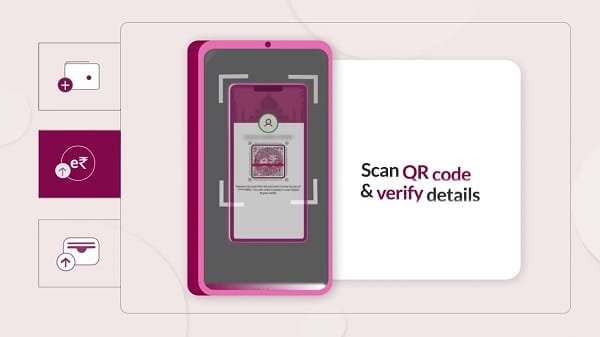
What is the Axis Bank Digital Rupee Wallet?
The Axis Bank Digital Rupee Wallet is a mobile-based application or banking feature that enables users to:
- Store Digital Rupee (e₹)
- Send and receive CBDC payments
- Make merchant transactions
- Conduct secure digital transfers
The Digital Rupee is issued by the Reserve Bank of India and works similarly to physical cash but in digital form.
The wallet depends heavily on internet connectivity, app synchronization, banking servers, and device compatibility. Therefore, technical problems may occasionally occur.
Common Axis Bank Digital Rupee Wallet Errors
Users may encounter issues such as:
- Wallet not loading
- Sync failed messages
- Balance not updating
- Payment pending errors
- Transaction history missing
- App freezing or crashing
- Unable to add Digital Rupee funds
- OTP verification failure
Understanding the root cause helps in resolving the issue faster.
Reasons Behind Wallet Sync and Loading Errors
1. Poor Internet Connectivity
A weak or unstable internet connection is one of the most common reasons for wallet synchronization problems. Since Digital Rupee transactions require real-time server communication, interruptions can stop wallet updates.
2. Temporary Server Maintenance
Axis Bank or RBI servers may occasionally undergo maintenance or updates. During this period:
- Wallet syncing may slow down
- Transactions may remain pending
- Wallet balance may not refresh
3. Outdated Wallet Application
Using an older version of the wallet app can create:
- Compatibility issues
- Security errors
- Login failures
- Loading delays
Updated applications usually contain bug fixes and performance improvements.
4. Device Compatibility Problems
Older smartphones or devices with outdated operating systems may struggle to support advanced digital banking features.
5. Cache and Temporary Data Corruption
Corrupted cache files can prevent the app from functioning properly and may trigger loading loops or screen freezes.
6. Incorrect Mobile Permissions
If permissions such as internet access, SMS access, notifications, or storage permissions are disabled, the app may fail to authenticate or sync properly.
7. Multiple Device Login Attempts
Using the wallet on multiple devices simultaneously can sometimes create synchronization conflicts.
How to Fix Axis Bank Digital Rupee Wallet Sync Errors
1. Check Internet Connection
Start by ensuring a stable network connection:
- Switch between Wi-Fi and mobile data
- Restart your router if using Wi-Fi
- Move to an area with stronger signal coverage
A fast and stable connection is essential for Digital Rupee transactions.
2. Restart the Wallet App
Close the app completely and reopen it. Minor glitches are often resolved with a simple restart.
For Android:
- Open Recent Apps
- Swipe away the wallet app
- Reopen the application
3. Update the Axis Bank Wallet App
Always use the latest version of the app.
Update from:
- Google Play Store
- Apple App Store
Updates usually fix:
- Sync bugs
- Security vulnerabilities
- App crashes
- Loading issues
4. Clear Cache Files
Clearing temporary files may solve wallet freezing or loading loops.
Steps:
- Open Phone Settings
- Go to Apps
- Select the Axis Bank Digital Rupee app
- Tap Storage
- Choose “Clear Cache”
Avoid clearing important app data unless necessary.
5. Restart Your Smartphone
A device restart refreshes system processes and network settings, which often resolves temporary banking app errors.
6. Enable Required Permissions
Check whether the app has:
- SMS permission
- Internet access
- Notification access
- Storage permission
Without these permissions, OTP verification and wallet syncing may fail.
7. Avoid Using VPN Services
VPN connections may interfere with banking authentication systems and server communication. Disable VPN apps before using the wallet.
8. Wait During Server Maintenance
If the issue is from the bank’s side, wait for some time and try again later. Most maintenance-related interruptions are temporary.
9. Reinstall the Wallet Application
If problems continue:
- Uninstall the app
- Restart your phone
- Reinstall the latest version
- Log in again
This often fixes corrupted installation files.
Security Tips While Using Digital Rupee Wallets
To ensure safe transactions:
- Never share OTPs or MPINs
- Avoid public Wi-Fi networks
- Keep your phone updated
- Enable biometric security if available
- Download apps only from official stores
Digital currency systems are secure, but user awareness remains important.
When Should You Contact Axis Bank Support?
Contact support if:
- Transactions remain pending for long periods
- Wallet balance is incorrect
- Funds are deducted but not credited
- Login access is blocked
- Reinstallation does not fix the issue
Official support resources:
- Axis Bank Official Website
- Axis Bank Digital Banking Services
Future of Digital Rupee Banking in India
The Digital Rupee ecosystem is still developing in India. As adoption increases, banks and the RBI are expected to improve:
- Wallet stability
- Transaction speed
- Offline payment capabilities
- Security systems
- Cross-platform compatibility
CBDC technology may eventually become a major part of India’s digital economy.
FAQs
Q: Why is my Axis Bank Digital Rupee wallet not syncing?
A: This may happen due to poor internet connection, server maintenance, outdated app versions, or device compatibility issues.
Q: How can I fix Digital Rupee wallet loading errors?
A: You can try restarting the app, clearing cache files, updating the app, checking internet connectivity, or reinstalling the application.
Q: Is the Digital Rupee wallet safe to use?
A: Yes, Digital Rupee wallets use advanced banking security systems and RBI-backed infrastructure for secure transactions.
Q: Can server maintenance affect wallet transactions?
A: Yes, temporary server maintenance may delay syncing, balance updates, or transaction processing.
Q: What should I do if money is deducted but not reflected in the wallet?
A: Wait for some time and check transaction history. If the issue remains unresolved, contact Axis Bank customer support immediately.
Conclusion
The Axis Bank Digital Rupee Wallet is an important step toward India’s growing digital finance ecosystem. While sync and loading issues can occasionally occur, most problems are temporary and can be resolved through simple troubleshooting methods such as improving internet connectivity, updating the app, clearing cache, or reinstalling the wallet.
As India’s CBDC infrastructure continues to evolve, users can expect faster, safer, and more reliable Digital Rupee services in the coming years.