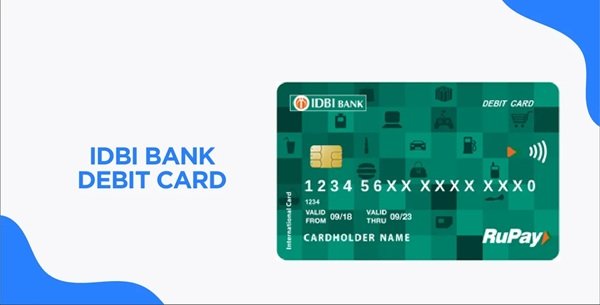
When you receive a new IDBI Bank debit card, the first important step is to generate its four-digit ATM PIN and activate the card for transactions. The PIN is required for ATM cash withdrawals and PIN-authenticated payments at merchant outlets.
IDBI Bank provides a Green PIN facility, which allows new as well as existing debit-card customers to generate or reset their PIN without waiting for a physical PIN mailer. Customers can use an IDBI Bank ATM, Internet Banking, Go Mobile+ app, Phone Banking, SMS or missed-call facility. The service is available 24×7.
Activation and PIN generation are closely related. IDBI Bank instructs customers to use the newly generated PIN at an ATM or Point of Sale terminal to activate the debit card. Its current Green PIN page also states that PIN generation through Internet Banking can activate the card instantly. As a practical step, making a small ATM or POS transaction after setting the PIN confirms that the card is working properly.
What Do You Need to Activate an IDBI Bank Debit Card?
Keep the following ready before starting:
- IDBI Bank debit card
- Mobile number registered with IDBI Bank
- Access to the registered mobile for receiving OTP
- Customer ID
- 16-digit debit card number
- Internet Banking credentials if using the online method
- Transaction password for Internet Banking
- Go Mobile+ MPIN if using Mobile Banking
The registered mobile number is particularly important because Green PIN authentication through several IDBI Bank channels depends on an OTP and Request ID sent to that number.
How to Activate a New IDBI Bank Debit Card
A simple activation process is:
- Generate the four-digit debit card PIN through any supported IDBI Bank channel.
- Visit an ATM or use the card at a merchant POS terminal.
- Insert or swipe the debit card.
- Enter the newly generated PIN.
- Complete a balance enquiry, cash withdrawal or eligible purchase.
- Confirm that the transaction has been completed successfully.
IDBI Bank specifically states that after setting the PIN through Phone Banking, customers can activate the card by using it at any bank’s ATM or POS terminal.
Online, international and contactless transactions may have separate settings and limits. A card working at an ATM does not necessarily mean every transaction channel has been enabled.
IDBI Bank Debit Card PIN Generation Through an ATM
IDBI Bank’s ATM Green PIN process has two stages. First, you generate an OTP and Request ID. You then validate them to create the permanent PIN.
Step 1: Generate OTP
- Visit an IDBI Bank ATM.
- Insert your debit card.
- Select your preferred language.
- Choose Generate ATM PIN.
- Select Generate OTP.
- An OTP and Request ID will be sent to your registered mobile number.
Step 2: Set the Permanent PIN
- Insert the debit card again.
- Select your language.
- Choose Generate ATM PIN.
- Select Validate OTP.
- Enter the Request ID received on your registered mobile.
- Enter the OTP.
- After successful validation, enter a new four-digit PIN.
- Re-enter the same PIN for confirmation.
The new debit-card PIN is generated instantly.
IDBI Bank does not allow you to set your last-used PIN as the new PIN. You must select a different four-digit combination.
IDBI Bank Debit Card PIN Generation Through Internet Banking
IDBI Bank customers with Retail Internet Banking can generate or reset the debit card PIN online.
The bank’s current Internet Banking instructions provide the following route:
- Log in to IDBI Bank Retail Internet Banking.
- Open Menu.
- Select Cards.
- Open Debit Card Services.
- Select PIN Generation.
- Select the required debit card number.
- Select the reason for PIN generation or regeneration.
- Select Submit.
- Enter the new four-digit PIN.
- Re-enter the PIN for confirmation.
- Enter the OTP sent to your registered mobile number.
- Submit the request.
A confirmation stating that the debit-card PIN has been successfully reset will be displayed after successful processing.
IDBI Bank Debit Card PIN Generation Through Go Mobile+
IDBI Bank’s Go Mobile+ application also provides instant debit-card PIN generation.
Follow these steps:
- Log in to the IDBI Bank Go Mobile+ app using your MPIN.
- Select Debit Card on the home screen.
- Select Debit Card PIN Generation.
- Choose the required debit card from the dropdown menu.
- Enter remarks if requested.
- Confirm the request.
- Enter the OTP sent to your registered mobile number.
- Create a new four-digit debit-card PIN.
- Confirm the request.
IDBI Bank officially lists debit-card PIN generation, card On/Off controls and debit-card limit management among the facilities available through Go Mobile+.
IDBI Bank Debit Card PIN Generation Through Phone Banking
Customers can also create their debit-card PIN through IDBI Bank Phone Banking.
Call: 1800 209 4324 or 1800 22 1070
Customers calling from overseas can use: +91 22 67719100
Then:
- Keep your Customer ID and 16-digit debit card number ready.
- Call one of the Phone Banking numbers.
- Select your preferred language.
- Choose Generate ATM PIN from the IVR menu.
- Enter your Customer ID and debit-card number when requested.
- Authenticate using the OTP sent to your registered mobile number.
- Enter a new four-digit PIN.
- Confirm the PIN.
The PIN is generated immediately after successful authentication. Use the debit card with the new PIN at an ATM or POS terminal to activate and verify it.
IDBI Bank Green PIN Generation Through SMS
IDBI Bank also allows customers to initiate Green PIN generation through SMS.
From your registered mobile number, type:
GREENPIN [Last 6 digits of Debit Card]
Send it to: 9820346920
or
9821043718
For example, if the last six digits of the debit card are 456789, send: GREENPIN 456789
You will receive an OTP and Request ID on your registered mobile number.
The OTP is valid for 30 minutes.
Then:
- Visit an IDBI Bank ATM.
- Insert your debit card.
- Select Generate ATM PIN.
- Select Validate OTP.
- Enter the Request ID.
- Enter the OTP.
- Create a new four-digit PIN.
- Confirm the new PIN.
The PIN will then be generated instantly.
IDBI Bank Green PIN Generation Through Missed Call
IDBI Bank also provides a missed-call Green PIN facility.
Give a missed call from your registered mobile number to:
1800 843 1144
After the missed call:
- IDBI Bank sends an OTP and Request ID to your registered mobile number.
- Visit an IDBI Bank ATM.
- Insert the debit card.
- Select Generate ATM PIN.
- Choose Validate OTP.
- Enter the OTP and Request ID.
- Create a new four-digit PIN.
- Confirm it.
The OTP generated through the missed-call facility is valid for 30 minutes.
How to Enable Online Transactions on an IDBI Bank Debit Card
IDBI Bank states that debit cards are generally enabled by default for domestic ATM and POS transactions. Other facilities such as domestic e-commerce, contactless payments and international transactions may need to be enabled separately.
Customers can manage debit-card facilities using digital banking channels.
Through Internet Banking:
- Log in to IDBI Bank Retail Internet Banking.
- Open Cards.
- Select Debit Card Services.
- Select the required debit card.
- Open the domestic/international usage settings.
- Enable or disable the required facility.
- Complete the necessary authentication.
IDBI Bank’s current Internet Banking user guide specifically provides a Set Domestic/International Usage option for switching debit-card usage On or Off.
Go Mobile+ also allows customers to switch debit cards On or Off, change ATM/POS limits and manage international usage.
What Should You Do After Generating the IDBI Bank Debit Card PIN?
After generating the PIN, make a small ATM or merchant POS transaction to confirm that the card is functioning properly.
Before attempting an online, contactless or international transaction, check whether the particular transaction channel is enabled and whether its limit is sufficient.
Never disclose your:
- Debit card PIN
- OTP
- CVV
- Internet Banking passwords
- Mobile Banking MPIN
- Card expiry details
IDBI Bank specifically advises customers not to provide confidential card or banking information in response to calls, SMS messages or e-mails.
What If IDBI Bank Debit Card PIN Generation Fails?
If PIN generation fails, check whether:
- Your mobile number is registered with IDBI Bank.
- The correct debit card has been selected.
- The Customer ID and debit-card details are correct.
- You are using the latest OTP and Request ID.
- The SMS or missed-call OTP has not crossed its 30-minute validity period.
- The card has not been blocked or hotlisted.
- Your Internet Banking transaction password is correct.
- You are not trying to reuse your previous debit-card PIN.
If the problem continues, contact IDBI Bank at 1800 209 4324 or 1800 22 1070. For immediate debit-card hotlisting, the bank provides 1800 22 6999.
FAQs
1. Can a joint-account holder with an add-on IDBI Bank debit card generate the PIN through Internet Banking or Go Mobile+?
IDBI Bank states that joint-account holders using an add-on debit card and having their mobile number registered in the bank’s records can generate the ATM PIN through IDBI Bank ATM, SMS and missed-call facilities only.
2. Can I use my previous IDBI Bank debit card PIN again while resetting it?
No. IDBI Bank’s Green PIN instructions specifically state that the last PIN cannot be used as the new PIN. You must choose a different four-digit PIN during PIN regeneration.
3. My IDBI Bank debit card is blocked only for online transactions. Can I still use it at an ATM?
Possibly, yes. IDBI Bank states that a card blocked for online payments may still work for ATM cash withdrawals and POS purchases. For online-payment unblocking, customers can contact Phone Banking, send a request through Internet Banking or approach a branch.
4. Do Visa, Mastercard and RuPay IDBI debit cards follow the same online registration process?
No. IDBI Bank states that Visa and Mastercard debit cards can require registration for the applicable online-payment security service. For RuPay debit cards, separate advance registration is not required; the card can be registered for RuPay PaySecure while making an online payment.