When you receive a new IndusInd Bank debit card, the main step required before using it is to create the four-digit debit card PIN. IndusInd Bank’s current debit-card terms state that customers must set the card PIN to activate the card for transactions.
IndusInd Bank debit cards issued, reissued, replaced or renewed are enabled for domestic ATM and Point of Sale (POS) transactions at issuance. However, the PIN must be generated before the first PIN-based transaction. Online, international and contactless transactions are controlled separately and can be enabled when required.
IndusInd Bank currently provides several options to set or reset a debit card PIN, including the INDIE Mobile Banking app, Internet Banking, the bank’s Instant PIN website, ATM and Phone Banking. This generally eliminates the need to visit a branch merely to generate a debit card PIN.
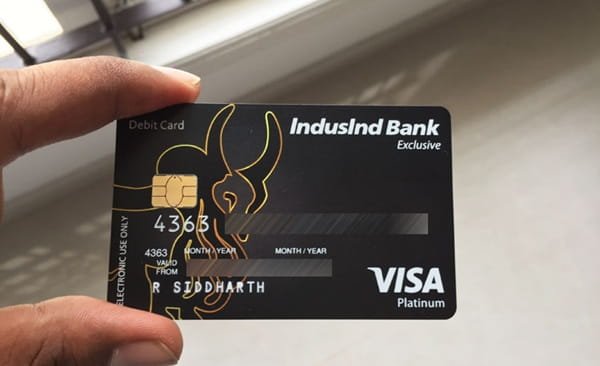
What Do You Need to Activate an IndusInd Bank Debit Card?
Keep the following details ready:
- Your IndusInd Bank debit card
- Mobile number registered with IndusInd Bank
- Access to the registered mobile for receiving OTPs
- Debit card number
- Card expiry date
- Three-digit CVV
- Customer ID when using Instant PIN generation
- PAN or date of birth registered with the bank
- Internet Banking credentials if using the online banking method
- INDIE app access if using Mobile Banking
NRI customers using the Instant PIN facility may also be required to enter the passport number registered with the bank.
How to Activate a New IndusInd Bank Debit Card
IndusInd Bank’s latest debit-card terms clearly state that setting the card PIN activates the card for performing transactions.
A practical process is:
- Receive your new IndusInd Bank debit card.
- Make sure your registered mobile number is active.
- Generate a four-digit debit card PIN using one of the supported methods.
- Once the PIN is successfully set, use the card for a domestic ATM or POS transaction.
- Enter the new PIN when requested.
- If you also want online, international or contactless usage, enable those transaction channels separately.
If the bank has provided a physical PIN for a particular account type, the card can also be activated by using that PIN for a POS or ATM transaction. IndusInd Bank nevertheless recommends changing an initial physical PIN.
IndusInd Bank Debit Card PIN Generation Through the INDIE App
IndusInd Bank’s current Mobile Banking application is INDIE. Existing IndusInd Bank customers, including customers who do not have an INDIE account, can view and manage eligible existing debit cards through the app.
To set or reset your debit card PIN:
- Open the IndusInd Bank Mobile Banking – INDIE app.
- Log in to your account.
- Tap Debit Cards on the home screen.
- Select the required debit card.
- Select Reset PIN or the available Set/Reset PIN option.
- Enter the new four-digit PIN.
- Re-enter the same PIN for confirmation.
- Select Yes to continue.
- Authenticate the request using the OTP sent by the bank.
- Complete the request.
IndusInd Bank’s current debit-card FAQ lists this as one of the main ways to set or reset a debit card PIN.
IndusInd Bank Debit Card PIN Generation Through Instant PIN
IndusInd Bank also provides a dedicated Instant PIN Generation for Debit Card service on its official banking website.
The current process requires:
- Open IndusInd Bank’s official Instant PIN Generation page.
- Enter your debit card number.
- Select the card expiry date.
- Enter the three-digit CVV printed on the back of the card.
- Enter the displayed CAPTCHA.
- Accept the terms and conditions.
- Select Submit.
- Enter your Customer ID.
- Provide your date of birth or PAN as required.
- For an NRI customer, enter the registered passport number when requested.
- Select Generate OTP.
- Enter the OTP received through the bank’s authentication process.
- Select Set PIN.
- Enter a new four-digit debit card PIN.
- Re-enter the same PIN for confirmation.
- Submit the request.
Once successfully processed, IndusInd Bank displays confirmation that the debit card PIN has been set.
The bank’s current Instant PIN page also states that, for security reasons, the debit-card transaction limit is restricted to ₹20,000 for two hours after the PIN is set through this facility.
IndusInd Bank Debit Card PIN Generation Through Internet Banking
IndusInd Bank officially allows debit card PIN setting and resetting through Internet Banking as well.
The general process is:
- Log in to IndusInd Bank Internet Banking.
- Open the Debit Card section.
- Select the debit card whose PIN you want to set or reset.
- Open the available PIN-generation or PIN-reset option.
- Complete the cardholder authentication requested by the bank.
- Enter a new four-digit PIN.
- Re-enter the PIN for confirmation.
- Complete the request.
The exact menu wording can change as IndusInd Bank updates Internet Banking. Follow the current options displayed after login rather than relying on an older menu sequence.
IndusInd Bank Debit Card PIN Generation Through an ATM
IndusInd Bank’s current debit-card terms confirm that debit card PINs can also be generated through an ATM after providing the required personal details.
For ATM PIN generation:
- Visit an IndusInd Bank ATM.
- Insert your debit card.
- Select the PIN generation/set PIN option displayed on the screen.
- Enter the customer/card information requested by the ATM.
- Complete the required authentication.
- Enter a new four-digit debit card PIN.
- Confirm the new PIN.
- Complete the transaction.
Because ATM software and menu labels can be updated, customers should follow the current prompts shown on the IndusInd Bank ATM.
IndusInd Bank Debit Card PIN Generation Through Phone Banking
Phone Banking is also listed by IndusInd Bank as a supported channel for debit card PIN setting.
IndusInd Bank’s current general banking helpline is 1860 267 7777. Customers outside India can use 022 4220 7777.
Follow the automated instructions or customer-service guidance for debit-card PIN services and complete the requested identity verification. Never disclose an existing PIN or OTP to a person claiming to be a bank employee.
How to Enable Online Transactions on an IndusInd Bank Debit Card
A new IndusInd Bank debit card is enabled for domestic ATM and POS transactions, but other transaction channels may need to be enabled separately.
- Online/e-commerce transactions
- Contactless payments
- International transactions
- Device-based tokenisation transactions
IndusInd Bank allows these facilities to be managed through the INDIE app or Internet Banking.
Through the INDIE App
- Log in to INDIE.
- Open Debit Cards.
- Select the required debit card.
- Select Transaction Limits.
- Check the available transaction channels.
- Enable the required channel.
- Set the appropriate transaction limit.
- Confirm the change.
Customers can set separate limits for ATM withdrawals, POS purchases and online transactions. For Internet Banking, open the debit-card section, go to the card settings and update the required transaction limits or channel settings.
Contactless Transactions on an IndusInd Bank Debit Card
Contactless or Tap & Pay must be enabled before it can be used if the facility is currently switched off.
IndusInd Bank states that contactless transactions in India can be completed without entering the debit card PIN for an eligible transaction of up to ₹5,000. For a transaction above ₹5,000, the debit card PIN is required.
What Should You Do After Setting the IndusInd Bank Debit Card PIN?
After creating your PIN, perform a small ATM or merchant transaction to confirm that the card and new PIN are working properly.
If you intend to use the card online or abroad, also check the transaction-channel settings and applicable limits. A card working at an ATM does not automatically mean that online or international transactions are enabled.
Keep the following confidential:
- Debit card PIN
- OTP
- CVV
- Card details
- Internet Banking credentials
- Mobile Banking credentials
IndusInd Bank’s current debit-card terms specifically require customers to keep these credentials confidential.
What If IndusInd Bank Debit Card PIN Generation Fails?
If PIN generation is unsuccessful, check whether:
- Your debit card is active and has not been permanently blocked.
- The card number is correct.
- The expiry date has been entered correctly.
- The CVV is correct.
- Your Customer ID is correct when using Instant PIN.
- Your PAN or date of birth matches the bank’s records.
- Your registered mobile number is active.
- You are entering the correct and latest OTP.
- The correct debit card has been selected in INDIE or Internet Banking.
If the card still does not work, also check whether the relevant transaction channel is enabled, sufficient account balance is available and the transaction amount is within the permitted card limit.
For further assistance, contact IndusInd Bank at 1860 267 7777 or visit an IndusInd Bank branch.
FAQs
1. What happens if I enter the wrong IndusInd Bank debit card PIN more than three times?
IndusInd Bank states that if more than three transactions are attempted using an incorrect PIN, the debit card is blocked for the next 24 hours. After that, you can reset the PIN through the bank’s supported PIN-reset facilities instead of continuing to guess the old PIN.
2. Can I use the INDIE app to manage my debit card if I do not have an INDIE account?
Yes. IndusInd Bank states that existing debit cards of non-INDIE account customers can also be visible after logging in to the INDIE app. Customers can manage the PIN, transaction limits, card blocking and other eligible debit-card services from there.
3. Does IndusInd Bank still provide a physical debit card PIN?
IndusInd Bank primarily encourages customers to generate their PIN digitally or through an ATM. However, its current debit-card terms state that a physical PIN may be sent in a sealed envelope for certain account types or at the customer’s request. The bank recommends changing an initially supplied physical PIN.
4. Why is my transaction limit lower immediately after generating the PIN online?
If you use IndusInd Bank’s official Instant PIN Generation facility, the bank currently applies a security restriction of ₹20,000 for the next two hours after the PIN is set. The normal applicable card limits can operate after this temporary security period.