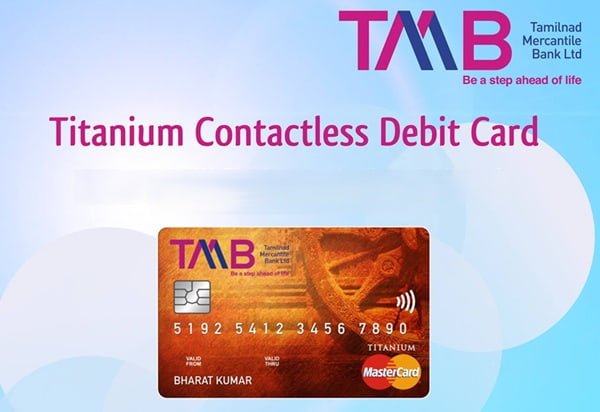
Tamilnad Mercantile Bank provides a Green PIN facility that makes setting up a new debit card simpler than waiting for a conventional PIN mailer. Customers can create or reset their debit-card PIN through supported TMB ATMs and digital banking channels after completing secure card and OTP authentication.
For a newly issued debit card, PIN generation and activation are closely linked. TMB’s debit-card terms state that the card sent to the customer needs to be activated, and the card can be activated for merchant transactions through the first use of the PIN at a TMB ATM or an NFS-enabled ATM.
TMB also provides debit-card management through Internet Banking and the TMB MBank application. These services can be used to manage card limits, block a debit card and access other card-related controls.
What Do You Need to Activate a Tamilnad Mercantile Bank Debit Card?
Keep the following ready before starting:
- Tamilnad Mercantile Bank debit card
- Mobile number registered with TMB
- Access to the registered mobile number for OTP verification
- Debit-card details
- Internet Banking credentials if using the online Green PIN facility
- TMB MBank access if you want to manage the card after activation
The registered mobile number is particularly important because TMB’s current Green PIN facility uses secure authentication such as debit-card details and OTP verification.
How to Activate a New Tamilnad Mercantile Bank Debit Card
Tamilnad Mercantile Bank states that a newly issued debit card needs to be activated before normal merchant usage.
The practical activation process is:
- Generate or obtain the debit-card PIN.
- Visit a TMB ATM or an NFS-enabled ATM.
- Insert the debit card.
- Enter the debit-card PIN.
- Complete an eligible PIN-authenticated ATM transaction.
- Once the first PIN-based ATM usage is completed successfully, the card becomes activated for merchant transactions.
TMB’s current debit-card terms specifically state that activation for merchant-establishment transactions takes place through the first utilization of the PIN at a TMB ATM or NFS ATM.
Once activated, the card can be used according to the transaction facilities and limits applicable to that particular debit-card variant.
Tamilnad Mercantile Bank Green PIN Generation
TMB currently provides a dedicated Green PIN Generation facility for:
- New debit cards
- Replacement debit cards
- Existing debit cards requiring PIN reset
The bank describes Green PIN as a branch-free facility that allows debit-card holders to generate or change the PIN through supported ATMs or digital banking channels.
The Green PIN process uses secure verification, including card information and OTP authentication.
A general Green PIN process involves:
- Select the Green PIN/PIN-generation facility through a supported TMB channel.
- Provide the debit-card information requested by the bank.
- Complete OTP or other secure authentication.
- Enter the new debit-card PIN.
- Confirm the PIN.
- Submit the request.
- After successful verification, the new PIN becomes available for debit-card usage.
The exact fields and screen sequence depend on whether the customer uses an ATM or digital banking channel.
TMB Debit Card Green PIN Generation Through ATM
Tamilnad Mercantile Bank officially confirms that Green PIN generation is available through supported ATMs.
At the ATM:
- Insert the TMB debit card.
- Select the available Green PIN/PIN-generation option.
- Follow the customer-verification instructions displayed on the ATM.
- Enter the debit-card information requested by the bank.
- Complete OTP verification using the mobile number registered with TMB.
- Enter a new PIN.
- Confirm the PIN.
- Complete the request.
TMB’s current public Green PIN page does not publish a detailed button-by-button ATM menu sequence. Customers should therefore follow the live instructions displayed on the TMB ATM instead of relying on an older ATM menu.
Once the PIN has been successfully generated, use it for the first ATM transaction to activate a new card.
TMB Debit Card Green PIN Through Internet Banking
Tamilnad Mercantile Bank officially provides Green PIN through Internet Banking.
TMB’s recent official annual reports specifically list Green PIN in Internet Banking among the digital services available to customers.
A customer using Internet Banking should:
- Log in to TMB Internet Banking through the bank’s official website.
- Open the debit-card or card-services section.
- Select the required debit card.
- Choose the Green PIN/PIN-generation facility available on the screen.
- Enter the requested debit-card details.
- Complete OTP or other authentication required by TMB.
- Create a new debit-card PIN.
- Confirm the PIN.
- Submit the request.
TMB’s current public website confirms the availability of Green PIN through digital channels but does not publish a detailed current Internet Banking menu sequence. Therefore, customers should follow the options displayed after login.
Can You Generate the TMB Debit Card PIN Through TMB MBank?
TMB’s current MBank application provides debit-card management. The bank’s official Mobile Banking page lists Debit Card Management among the services available in the app.
However, TMB’s current public MBank page does not provide a specific step-by-step menu for generating the first Green PIN. The bank’s official material clearly identifies Internet Banking and supported ATMs for Green PIN, while MBank is clearly documented for debit-card management.
Therefore, for a new card, customers should use the documented Green PIN facility available through a supported ATM or digital channel shown by TMB. After activation, TMB MBank can be used for card-management requirements.
How to Manage a Debit Card Through TMB MBank
Tamilnad Mercantile Bank’s current Mobile Banking application is TMB MBank.
The bank lists debit-card management as one of the services available through the application.
To access card management:
- Log in to TMB MBank.
- Open the debit-card management section.
- Select the debit card linked with your account.
- Check the available card-management options.
- Modify the required card setting or transaction limit.
- Complete the authentication requested by the app.
- Confirm the change.
TMB’s official Mobile Banking information also confirms that transaction-limit setting and debit-card blocking facilities are available to Mobile Banking customers.
How to Manage TMB Debit Card Limits Through Internet Banking
Tamilnad Mercantile Bank provides debit-card limit management through Internet Banking.
The bank’s official technology information specifically lists management of limits for debit cards through Internet Banking.
Customers can:
- Log in to TMB Internet Banking.
- Open the debit-card management section.
- Select the required debit card.
- Check the current transaction limit.
- Modify the limit according to your requirements and the maximum amount permitted for the card.
- Complete the required authentication.
- Submit the request.
The maximum limits depend on the debit-card variant.
For example, TMB’s current VISA Photo Debit Card information lists:
- Cash withdrawal limit: ₹50,000
- POS limit: ₹3,00,000
- E-commerce limit: ₹3,00,000
These figures apply to that particular debit-card product and should not be treated as the limit for every TMB debit card.
Online and International Usage of a TMB Debit Card
Tamilnad Mercantile Bank offers debit cards that support ATM, POS and online transactions. International availability depends on the particular debit-card variant and its activation/settings.
For example, TMB’s current VISA Photo Debit Card page lists:
- Online/e-commerce usage as supported
- International usage as allowed subject to activation and bank guidelines
TMB’s current contactless VISA debit-card information also includes international usage and contactless payment capability.
If a card works at an ATM but an online or international transaction is declined, check:
- Whether that transaction facility is available on your card variant
- Whether the card has been properly activated
- Whether the applicable transaction limit is sufficient
- Whether any security restriction has been placed on the card
Contactless Transactions on TMB Debit Cards
Selected TMB debit cards support contactless or Tap & Pay transactions.
Whether contactless payment is available depends on the card variant. The bank’s current VISA contactless debit-card page confirms that eligible cards support Tap & Pay transactions.
Customers should check the contactless facility and applicable transaction limits for their particular card rather than assuming every TMB debit card has the same features.
What Should You Do After Generating the TMB Debit Card PIN?
After setting the PIN for a new debit card, complete your first transaction using the PIN at a TMB or NFS-enabled ATM.
Also:
- Sign the reverse of the physical card where applicable.
- Memorise your debit-card PIN.
- Change an initial PIN if one has been provided separately.
- Never write your PIN on the card.
- Do not keep a written PIN inside your wallet.
- Never disclose your PIN or OTP to another person.
- Review card transaction limits before making large purchases.
- Block the card immediately if it is lost or stolen.
TMB’s debit-card terms specifically state that the PIN must remain confidential and should not be disclosed even to bank staff or merchant establishments.
What If TMB Debit Card PIN Generation Fails?
If you cannot generate or reset the PIN, check whether:
- The debit card is active and correctly linked with the account.
- Your current mobile number is registered with TMB.
- You can receive the OTP sent by the bank.
- The debit-card information has been entered correctly.
- You are using the latest OTP.
- Internet Banking authentication is working correctly.
- The card has not been blocked.
If you already have a PIN but the card is not working, also check whether you have completed the first PIN-based ATM transaction required for activation.
For further assistance, TMB’s current official website lists:
1800 425 0426 – Toll-free Customer Care
+91 9842 461 461 – Customer Care
Customers can also write to:
customercare@tmbank.in
FAQs
1. What happens if I enter the wrong TMB debit-card PIN three times?
TMB’s official ATM information states that card usage is disabled if the wrong PIN is entered three times continuously. Customers should contact the card-issuing TMB branch for activation instead of continuing to enter different PINs.
2. Is TMB Green PIN generation chargeable?
TMB’s current ATM/debit-card charge information lists Green PIN generation as free for new cardholders. However, PIN regeneration charges can apply depending on the card and service used. For example, TMB’s current VISA Photo Debit Card page lists a PIN-regeneration charge of ₹50 plus GST.
3. Do I have to use a TMB ATM for the first activation transaction?
Not necessarily. TMB’s debit-card terms state that the card can be activated for merchant transactions through the first use of the PIN at a TMB ATM or NFS ATM. Therefore, an eligible NFS-enabled ATM can also be used for the initial PIN-based activation transaction.
4. What should I do if a TMB ATM retains my debit card?
TMB’s ATM FAQ advises customers to contact the card-issuing branch if a card is retained by an ATM. This applies even when the card is retained at another bank’s ATM. If there is any concern that the card may be misused, block it immediately through TMB’s available card-blocking facility or contact Customer Care.