Digital banking has become an essential part of modern financial life in India. To improve convenience and security, State Bank of India offers biometric login features for its internet and mobile banking services. Customers can use fingerprint authentication or facial recognition instead of typing passwords repeatedly.
While biometric login improves security and ease of access, users may occasionally face blocked biometric login issues due to technical errors, failed authentication attempts, device problems, or security restrictions. When biometric access gets blocked, customers may find it difficult to log into their SBI Net Banking account quickly.
This article explains the common reasons behind blocked SBI biometric login access and the steps to recover your account safely and efficiently.
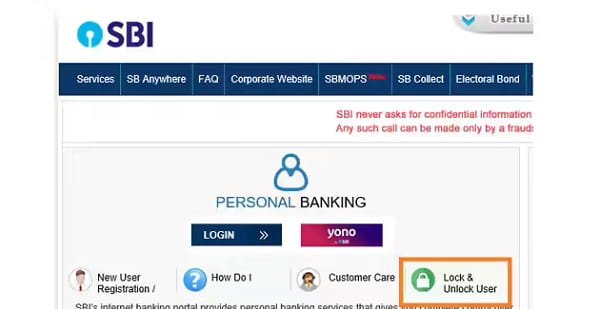
What is SBI Biometric Login?
Biometric login is a security feature that allows customers to access banking services using:
- Fingerprint recognition
- Face ID authentication
- Device-based biometric verification
Instead of entering passwords every time, the system uses unique biological traits for authentication.
Biometric login is commonly available through:
- SBI YONO app
- Mobile banking platforms
- Device-integrated authentication systems
Why Does SBI Biometric Login Get Blocked?
Several reasons can cause biometric login access to stop working or become blocked.
1. Multiple Failed Authentication Attempts
If fingerprint or face recognition fails repeatedly, the system may temporarily block biometric access for security purposes.
2. Device Changes
Changing your smartphone or resetting the device may remove stored biometric credentials linked to SBI banking services.
3. Outdated Banking App
Older versions of the SBI banking app may develop compatibility or security issues that affect biometric login.
4. Corrupted Biometric Data
Damaged or corrupted biometric settings on the device may interrupt authentication processes.
5. Security Restrictions
The bank may temporarily disable biometric access if:
- Suspicious login activity is detected
- The account faces security risks
- Unauthorized access attempts occur
6. Operating System Issues
Software bugs or outdated Android/iOS versions may interfere with biometric authentication systems.
How to Recover SBI Biometric Login Access
1. Use Password-Based Login First
If biometric login fails:
- Log in using your username and password
- Complete OTP verification if required
This helps confirm that your account itself is active and not fully blocked.
2. Restart Your Smartphone
A simple device restart can fix temporary:
- Authentication bugs
- App freezing
- Fingerprint scanner errors
- Face ID glitches
After restarting, try biometric login again.
3. Update the SBI Banking Application
Always use the latest version of the SBI app.
Official platforms:
Updates often fix:
- Biometric login bugs
- Security vulnerabilities
- Compatibility issues
4. Re-register Biometric Authentication
Sometimes the stored biometric credentials need to be reset.
Steps generally include:
- Log into the SBI app manually
- Open security settings
- Disable biometric login
- Re-enable fingerprint or face authentication
- Register your biometrics again
This refreshes authentication data.
5. Check Device Biometrics
Ensure your device fingerprint or face recognition works properly outside the banking app.
Test it by:
- Unlocking your phone
- Using biometrics in other apps
If device biometrics fail completely, reconfigure them in phone settings.
6. Clear App Cache
Corrupted cache files can create login issues.
For Android:
- Open Settings
- Go to Apps
- Select SBI app
- Tap Storage
- Clear Cache
Avoid clearing important app data unless necessary.
7. Update Your Phone Operating System
Outdated operating systems may not support newer biometric security protocols.
Install the latest:
- Android updates
- iOS updates
- Security patches
This improves compatibility and performance.
8. Avoid Rooted or Jailbroken Devices
SBI security systems may block biometric access on modified devices because they are considered less secure.
Use official software versions only.
9. Reinstall the SBI Banking App
If issues continue:
- Uninstall the app
- Restart your phone
- Install the latest version
- Log in again
- Re-enable biometrics
This often resolves persistent authentication problems.
When Should You Contact SBI Customer Support?
Contact SBI support if:
- Biometric login remains blocked after troubleshooting
- Your account is locked completely
- You notice suspicious login attempts
- OTP verification also fails
- You cannot access internet banking at all
Official resources:
Keep your:
- Registered mobile number
- Account details
- Device information
- Error screenshots
ready while reporting issues.
Security Tips for Safe Biometric Banking
1. Keep Your Device Secure
Always use:
- Screen lock
- PIN protection
- Updated antivirus software
2. Never Share OTPs
Banks never ask for:
- OTPs
- Passwords
- Debit card PINs
- CVV details
3. Avoid Public Wi-Fi
Use secure internet connections while accessing banking services.
4. Enable Transaction Alerts
SMS and email alerts help monitor account activity in real time.
5. Update Banking Apps Regularly
Regular updates strengthen security and improve app stability.
Benefits of Biometric Login in Banking
Biometric authentication offers several advantages:
- Faster login process
- Reduced password dependency
- Better fraud protection
- Improved user convenience
- Enhanced digital banking security
As biometric technology improves, banks are expected to integrate even more advanced authentication systems.
Future of Biometric Banking in India
Indian banks are increasingly investing in:
- AI-based authentication
- Facial recognition systems
- Voice biometrics
- Behavioral analytics
- Multi-factor security systems
Biometric banking is expected to become a major part of India’s digital financial infrastructure in the coming years.
Conclusion
Biometric login systems have made SBI digital banking more secure and user-friendly. However, blocked biometric access can occasionally occur due to technical glitches, device changes, authentication failures, or security restrictions.
Fortunately, most issues can be resolved through simple troubleshooting methods such as updating the app, clearing cache files, re-registering biometrics, or reinstalling the application. As India’s banking sector continues adopting advanced security technologies, biometric authentication is expected to become even safer, faster, and more reliable for millions of users.
FAQs
Q: Why is my SBI biometric login blocked?
A: Biometric login may get blocked due to multiple failed attempts, device changes, outdated apps, or security-related restrictions.
Q: Can I still access SBI Net Banking without biometrics?
A: Yes, you can usually log in using your username, password, and OTP verification.
Q: How do I re-enable biometric login in SBI apps?
A: Log into the app manually, go to security settings, disable biometrics, and then register your fingerprint or face ID again.
Q: Does changing my phone affect biometric login?
A: Yes, changing or resetting your device may require fresh biometric registration.
Q: Is biometric banking secure?
A: Yes, biometric authentication is considered highly secure because fingerprints and facial patterns are unique to each individual.