Punjab & Sind Bank customers do not have to depend only on a pre-printed PIN to start using a debit card. The bank provides a Green PIN facility through its own ATMs, allowing both new and existing customers to generate a four-digit debit card PIN using an OTP sent to their registered mobile number.
The activation process depends somewhat on the type of card issued. Punjab & Sind Bank issues personalised and non-personalised physical debit cards. Personalised cards are dispatched in inactive status, while immediately issued non-personalised cards may require activation through the branch. At the same time, the bank’s Green PIN instructions state that eligible inactive personalised or non-personalised cards correctly linked to the customer’s account can become active automatically after successful Green PIN generation.
Once the card is active and the PIN has been set, it can be used for eligible ATM, POS and other supported transactions. Additional debit-card controls are also available through PSB UnIC, Punjab & Sind Bank’s current Mobile and Internet Banking platform.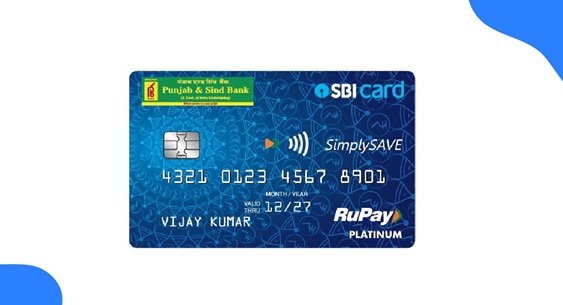
What Do You Need to Set Up a Punjab and Sind Bank Debit Card?
Keep the following ready:
- Punjab & Sind Bank debit card
- Mobile number registered with the bank
- Access to the registered mobile for receiving OTP
- Debit card correctly linked with your bank account
- PSB UnIC credentials if you plan to use digital card-management facilities
The registered mobile number is essential for Green PIN generation because the bank sends a six-digit OTP to that number.
How to Activate a New Punjab and Sind Bank Debit Card
The activation process can differ according to the type of debit card you have received.
Personalised Debit Card
Punjab & Sind Bank states that personalised debit cards carrying the cardholder’s name are dispatched in inactive status.
For an eligible personalised card linked correctly to your account, Green PIN generation at a PSB ATM can also activate the inactive card. The bank’s Green PIN operating instructions specifically state that inactive personalised cards can become automatically active following successful Green PIN generation.
The practical process is:
- Visit a Punjab & Sind Bank ATM.
- Generate the Green PIN OTP.
- Validate the OTP.
- Create a new four-digit PIN.
- Complete a small ATM transaction to confirm that the card works.
Non-Personalised Debit Card
Non-personalised cards are generally issued immediately at the branch. Punjab & Sind Bank’s current card page states that customers receiving these cards should apply for the card and request activation through the branch.
The bank’s detailed Green PIN instructions also state that an inactive non-personalised card that is properly linked to the customer’s account can be automatically activated following successful Green PIN generation. However, if an immediately issued card remains inactive, contact the issuing branch rather than repeatedly attempting transactions.
Punjab and Sind Bank Debit Card Green PIN Generation Through ATM
Punjab & Sind Bank’s Green PIN facility is available at PSB ATMs for both new and existing customers.
The process is completed in two stages.
Step 1: Generate the Green PIN OTP
- Visit a Punjab & Sind Bank ATM.
- Insert your PSB debit card.
- Select your preferred language.
- Select Green PIN.
- Choose OTP Generation.
- The transaction will end after the request is accepted.
- A six-digit OTP will be sent to your registered mobile number.
The OTP remains valid for 30 minutes.
Step 2: Validate the OTP and Create the PIN
After receiving the OTP:
- Insert the PSB debit card into the ATM again.
- Select your preferred language.
- Choose Green PIN.
- Select OTP Validation.
- Enter the six-digit OTP received on your mobile.
- Wait for the ATM to validate the OTP.
- Enter a new four-digit PIN of your choice.
- Confirm the PIN when requested.
- Wait for the successful PIN-generation message.
The ATM also prints confirmation of successful PIN generation on the transaction receipt.
Your newly selected four-digit number becomes your regular debit card PIN.
How Long Is the PSB Green PIN OTP Valid?
Punjab & Sind Bank states that the six-digit Green PIN OTP remains valid for half an hour, or 30 minutes.
You should therefore complete OTP validation and PIN setup within this period. If the OTP expires, initiate OTP generation again and use the new code.
Can Green PIN Activate an Inactive PSB Debit Card?
Yes, in eligible cases.
Punjab & Sind Bank’s official Green PIN instructions state that personalised and non-personalised cards do not necessarily need to be active before Green PIN generation. An inactive card linked correctly to the customer’s account can be automatically activated following successful Green PIN generation.
However, the bank separately states that immediately issued non-personalised cards normally involve an activation request through the branch. Therefore, if Green PIN succeeds but the card still does not work, contact the issuing/base branch.
How to Change an Existing Punjab and Sind Bank Debit Card PIN
If you already know your present PIN and simply want to replace it, Punjab & Sind Bank ATMs provide a PIN Change facility.
Follow these steps:
- Visit a PSB ATM.
- Insert your debit card.
- Select the normal banking service.
- Enter your existing PIN.
- Choose PIN Change.
- Enter your new four-digit PIN.
- Re-enter it for confirmation.
- Complete the request.
Punjab & Sind Bank currently lists PIN Change among the services provided at its ATMs. PIN-change transactions are also currently listed as free of charge.
Avoid PINs such as 1234, 0000, your birth year or other numbers that someone could easily associate with you.
What If You Forget Your Punjab and Sind Bank Debit Card PIN?
You can use the Green PIN process instead of repeatedly trying the forgotten PIN.
At a PSB ATM:
- Select Green PIN.
- Choose OTP Generation.
- Receive the six-digit OTP.
- Reinsert the card.
- Select OTP Validation.
- Enter the OTP.
- Choose a new four-digit PIN.
The Green PIN facility is available to existing debit-card customers as well as new cardholders. Punjab & Sind Bank currently lists Green PIN generation as free.
Debit Card Management Through PSB UnIC
Punjab & Sind Bank’s current digital banking platform is PSB UnIC, which combines Mobile Banking and Internet Banking services.
The bank currently lists My Cards – Debit Card Management among the live PSB UnIC functions.
Customers can use the available debit-card management section for supported card controls. Because the precise menu layout may change between the web and mobile versions, follow the current options displayed under My Cards rather than relying on an old menu screenshot.
PSB UnIC is also used for temporary blocking and unblocking of debit cards.
Online and E-Commerce Use of a PSB Debit Card
Punjab & Sind Bank debit cards support e-commerce payments according to the card variant and applicable controls.
The bank currently confirms that its debit cards can be used for:
- ATM cash withdrawals
- POS merchant payments
- Online purchases and bill payments
- Contactless payments on NFC-enabled cards
- Other supported RuPay debit-card services
If your card works at an ATM but an online payment fails, check whether the card’s e-commerce facility is enabled and whether the transaction falls within your card’s applicable POS/e-commerce limit.
Punjab & Sind Bank currently lists combined daily POS and e-commerce limits of:
- ₹1 lakh for most regular debit-card variants
- ₹1.50 lakh for RuPay Platinum and Platinum Women cards
- ₹2 lakh for RuPay Select cards
These are maximum card-variant limits and should not be confused with a guarantee that every individual transaction will be approved.
Contactless Transactions on Punjab and Sind Bank Debit Cards
NFC-enabled Punjab & Sind Bank RuPay debit cards support contactless transactions.
The bank currently confirms contactless payment as one of the facilities available on supported debit cards.
For standard online contactless purchases, transactions up to the applicable RBI/RuPay contactless threshold may be completed without entering a PIN, while transactions beyond the permitted threshold require normal card authentication.
Contactless functionality depends on the specific card variant and its current usage settings.
International Usage of Punjab and Sind Bank Debit Cards
International usage depends on your particular PSB debit-card variant.
Punjab & Sind Bank issues both domestic and international-capable RuPay cards. Customers should therefore check the features of the specific card rather than assuming every PSB debit card works outside India.
If international usage is required, check the card-management controls available under PSB UnIC or contact the bank for activation and limit information applicable to your specific card.
How to Temporarily Block or Unblock a PSB Debit Card
Punjab & Sind Bank provides a useful SMS service for temporarily blocking a card when you do not want it to remain active.
From your registered mobile number, send:
TBLOCK XXXX
to:
8828554038
Here, XXXX represents the last four digits of your debit card.
To unblock the card, send:
UBLOCK XXXX
to the same number.
Temporary blocking and unblocking are also available through PSB UnIC Mobile Banking, Internet Banking or the base branch.
How to Permanently Block a Lost PSB Debit Card
A lost or stolen debit card should be permanently blocked rather than merely protected by changing its PIN.
From your registered mobile number, send:
LOST XXXX
to 8828554038
where XXXX is the last four digits of the debit card.
Punjab & Sind Bank also allows customers to block the card by calling 1800-419-8300, using PSB UnIC Mobile/Internet Banking or contacting a branch.
What Should You Do After Generating the PSB Debit Card PIN?
After successful Green PIN generation:
- Make a small ATM transaction to confirm the card is working.
- Check online transaction availability before shopping online.
- Review the limits applicable to your debit-card variant.
- Keep international usage active only if you need it.
- Never write the PIN on the debit card.
- Never disclose the PIN, OTP or CVV to another person.
- Block the card immediately if it is lost or stolen.
Punjab & Sind Bank specifically warns customers that card details, PINs, CVVs and OTPs should never be shared, including with someone claiming to be a bank employee.
What If Punjab and Sind Bank Debit Card PIN Generation Fails?
Check the following before retrying:
- Your mobile number is correctly registered with Punjab & Sind Bank.
- The debit card is correctly linked to your account.
- You are using a Punjab & Sind Bank ATM for the Green PIN procedure.
- The six-digit OTP has not exceeded its 30-minute validity period.
- You are entering the latest OTP received.
- The debit card has not been permanently blocked.
- An immediately issued non-personalised card has been properly activated or linked by the branch.
If the problem continues, contact your base branch or Punjab & Sind Bank Customer Care.
All-India Toll-Free Customer Care:
1800-419-8300
Punjab & Sind Bank currently lists this as its main customer-care number.
FAQs
1. Can Green PIN activate an inactive Punjab and Sind Bank debit card?
Yes, for an eligible card correctly linked to the customer’s account. Punjab & Sind Bank’s Green PIN instructions state that inactive personalised and non-personalised cards can automatically become active after successful Green PIN generation. However, the bank separately advises activation through the branch for immediately issued non-personalised cards, so contact the branch if such a card remains inactive.
2. How long is the Punjab and Sind Bank Green PIN OTP valid?
The six-digit OTP generated at a PSB ATM remains valid for 30 minutes. It must be validated within that period to create the new four-digit debit card PIN. If it expires, generate another OTP.
3. Can I generate a Punjab and Sind Bank Green PIN at another bank’s ATM?
The bank’s official Green PIN procedure specifically provides the service through Punjab & Sind Bank ATMs. Therefore, use a PSB ATM when generating or resetting a Green PIN rather than relying on another bank’s ATM to provide the same facility.
4. What should I do if my PSB debit card is temporarily misplaced but I do not want to permanently block it?
You can temporarily block it by sending TBLOCK followed by the last four digits of the card to 8828554038 from your registered mobile number. If you find the card again, send UBLOCK followed by the last four digits to the same number. Temporary block/unblock is also available through PSB UnIC and the base branch.