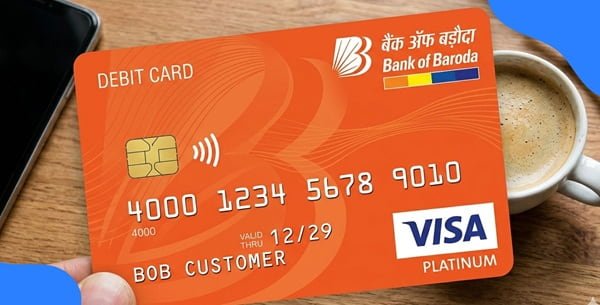
After receiving a new Bank of India debit card, you need to set its four-digit ATM PIN before using it for regular PIN-based transactions. Bank of India calls its self-service PIN-generation facility Green PIN. It allows customers to create a PIN electronically instead of depending on a printed PIN mailer.
The most direct Green PIN method is available at Bank of India ATMs. Customers can also reset or change their debit card PIN through BOI Internet Banking and the BOI Mobile Omni Neo app. Bank of India also provides InstaPIN assistance through branches when required.
Activation and PIN generation are closely connected in Bank of India. According to the bank’s current Green PIN instructions, the facility works for active cards, inactive cards and cards temporarily blocked after three incorrect PIN attempts. An inactive or temporarily PIN-blocked card is activated after successful Green PIN generation.
What Do You Need to Activate a Bank of India Debit Card?
Keep the following ready:
- Your Bank of India debit card
- Mobile number registered with Bank of India
- Access to the registered mobile for receiving OTP
- BOI Mobile Omni Neo credentials if using Mobile Banking
- BOI Internet Banking credentials if using NetBanking
For ATM Green PIN generation, having the correct mobile number registered with the bank is essential because Bank of India sends a six-digit OTP to that number.
How to Activate a New Bank of India Debit Card
For a new Bank of India debit card, the simplest activation process is to generate its Green PIN at a BOI ATM.
The bank’s official Green PIN instructions specifically state that Green PIN can be generated when a new debit card has been issued by the branch. They also state that inactive cards become active after successful PIN generation.
The practical process is:
- Visit a Bank of India ATM.
- Generate the Green PIN OTP.
- Validate the OTP.
- Choose a new four-digit debit card PIN.
- Confirm the PIN.
- Once the ATM confirms successful PIN creation, the card can be used for permitted transactions.
You can then make a small ATM transaction to confirm that the card and PIN are working properly.
Bank of India Debit Card PIN Generation Through ATM
Bank of India provides detailed Green PIN generation at its ATMs. The process has two stages: Generate OTP and Validate OTP.
Step 1: Generate the Green PIN OTP
- Visit any Bank of India ATM.
- Insert your Bank of India debit card and remove it when prompted.
- Select your preferred language.
- The ATM will display options including Enter PIN and (Forgot/Create PIN) Green PIN.
- Select (Forgot/Create PIN) Green PIN.
- The ATM will then display Generate OTP and Validate OTP.
- Select Generate OTP.
- A six-digit OTP will be sent to the mobile number registered with Bank of India.
Once you receive the OTP, continue with the validation process.
Step 2: Validate OTP and Create the PIN
- Insert the debit card into the BOI ATM again and remove it when instructed.
- Select your preferred language.
- Select (Forgot/Create PIN) Green PIN.
- Select Validate OTP.
- Enter the six-digit OTP received on your registered mobile.
- Press Continue.
- The next screen will ask you to enter a new PIN.
- Enter any four-digit PIN of your choice.
- Re-enter the same four-digit PIN.
- The ATM will display confirmation that the PIN has been successfully changed or created.
Your new four-digit number is now your Bank of India debit card PIN.
Bank of India specifically states that Green PIN can be generated only at Bank of India ATMs, not at another bank’s ATM.
Bank of India Debit Card PIN Generation Through BOI Mobile Omni Neo
Bank of India’s current digital banking platform is BOI Mobile Omni Neo. The bank provides debit-card management functions through Mobile Banking, including:
- Generate/reset PIN
- Change PIN
- Temporarily block a card
- Hotlist a card
- Manage transaction limits
- Manage transaction channels
To reset or generate your debit card PIN:
- Log in to BOI Mobile Omni Neo.
- Open the card-management or debit-card section.
- Select your Bank of India debit card.
- Choose Generate/Reset PIN.
- Complete the authentication requested by the app.
- Enter the new four-digit PIN.
- Re-enter it for confirmation.
- Submit the request.
The exact position of individual menu options can change as BOI updates Omni Neo, but Generate/Reset PIN is an officially supported debit-card function in BOI Mobile Banking.
Bank of India Debit Card PIN Generation Through Internet Banking
Bank of India also allows customers with transaction-enabled Internet Banking to reset their debit card PIN.
The official Bank of India customer-care instructions provide the following route:
- Log in to Bank of India Internet Banking.
- Open the Requests
- Select Debit-Cum-ATM Card.
- Select Debit-Cum-ATM Card PIN Reset.
- Choose the required debit card.
- Follow the authentication instructions displayed.
- Set the new PIN.
- Confirm and submit the request.
The same Internet Banking section also contains Debit-Cum-ATM Card PIN Change. PIN Change is appropriate when you know your existing PIN, while PIN Reset can be used when a fresh PIN needs to be created.
How to Change an Existing Bank of India Debit Card PIN
If you know your current PIN but want a different one, you do not need to use the forgotten-PIN process.
Bank of India supports PIN changes through:
- Bank of India ATM
- BOI Mobile Banking
- BOI Internet Banking
Through Internet Banking, go to:
Requests → Debit-Cum-ATM Card → Debit-Cum-ATM Card PIN Change
The bank notes that the existing PIN is required for the normal PIN Change option.
Choose a PIN that is difficult for another person to guess. Avoid combinations such as 1234, 0000, your birth year or simple repeated numbers.
What If You Have Forgotten Your Bank of India Debit Card PIN?
You can generate a new PIN without repeatedly trying the old one.
The easiest option is the Bank of India ATM Green PIN facility:
- Insert the card at a BOI ATM.
- Select (Forgot/Create PIN) Green PIN.
- Generate the OTP.
- Reinsert the card.
- Select Validate OTP.
- Enter the six-digit OTP.
- Create a new four-digit PIN.
You can also reset the PIN through BOI Internet Banking or BOI Mobile Banking. Bank of India’s current debit-card page specifically lists ATM, Internet Banking and Mobile Banking as PIN-reset methods.
What Happens After Three Wrong PIN Attempts?
If the card gets temporarily blocked because you entered the incorrect PIN three times, you do not necessarily need a replacement card.
Bank of India states that:
- The card can automatically become unblocked after 24 hours.
- It can also be unblocked through Internet Banking or Mobile Banking.
- Green PIN is supported for cards temporarily blocked after three incorrect PIN attempts.
- Successful Green PIN generation activates such temporarily blocked cards.
Therefore, if you have genuinely forgotten the PIN, resetting it is safer than repeatedly guessing.
A hotlisted card is different. Bank of India clearly states that Green PIN cannot be generated for a hotlisted debit card.
How to Enable Online Transactions on a Bank of India Debit Card
A debit card may work for ATM withdrawals but fail during an online purchase because the e-commerce channel is disabled or its transaction limit is not sufficient.
Bank of India’s digital debit-card controls include Manage Channel and Manage Limit. Customers can use these controls to manage ATM, POS and e-commerce usage.
Through BOI Mobile Omni Neo:
- Log in to the app.
- Open the debit-card/card-management section.
- Select the required debit card.
- Choose Manage Channel.
- Enable the e-commerce/online transaction channel.
- Open Manage Limit if you also need to change the spending limit.
- Set an appropriate limit.
- Authenticate and submit the change.
Do not set unnecessarily high card limits simply to complete a small online transaction.
How to Manage Debit Card Through Internet Banking
Internet Banking also provides card-management facilities.
- Log in to Bank of India Internet Banking.
- Open the debit-card services under the Requests/card-management area.
- Select the required debit card.
- Open the applicable channel or limit controls.
- Enable or disable the required transaction channel.
- Set the desired limit where applicable.
- Authenticate the request.
- Submit the change.
Bank of India has implemented debit-card controls through Internet Banking for functions including channel access, channel limits, hotlisting, temporary blocking, PIN change and PIN reset.
What Should You Do After Generating the Bank of India Debit Card PIN?
After successfully creating the PIN, perform a small ATM or merchant transaction to make sure the card works correctly.
You should also:
- Check whether e-commerce transactions are enabled before shopping online.
- Review ATM and POS limits.
- Enable international usage only if your card supports it and you need it.
- Keep unused transaction channels switched off when appropriate.
- Never share your PIN with another person.
- Never disclose an OTP or CVV to someone claiming to be a bank employee.
Bank of India specifically advises customers never to disclose their PIN or CVV and to hotlist a card immediately if they believe it has been compromised.
What If Bank of India Debit Card PIN Generation Fails?
Check the following before trying again:
- Your current mobile number is registered with Bank of India.
- You are using a Bank of India ATM for Green PIN generation.
- You are entering the latest six-digit OTP.
- The debit card has not been hotlisted.
- The correct debit card is selected in Internet Banking or Mobile Banking.
- Your Internet/Mobile Banking account is working correctly.
Remember that Green PIN can be generated for active, inactive and temporarily PIN-blocked cards, but not for a hotlisted card.
For debit-card enquiries, Bank of India currently lists: 1800 103 1906 – Toll-free
For immediate debit-card hotlisting: 1800 425 1112 – Toll-free
The bank also lists 022-40429123, 022-40429127 and 022-40919191 as chargeable numbers for debit-card hotlisting assistance.
FAQs
1. Can a new Bank of India debit card be activated by generating the Green PIN?
Yes. Bank of India’s current Green PIN instructions state that the facility can be used when a new debit card is issued. It also states that an inactive card becomes activated after successful PIN generation. This makes Green PIN generation an important part of setting up a new BOI debit card.
2. Can I generate a Bank of India Green PIN at another bank’s ATM?
No. Bank of India specifically states that its Green PIN can be generated only at a Bank of India ATM. The mobile number linked with your BOI account must also be registered correctly because the six-digit OTP is sent to that number.
3. Can I reset my Bank of India debit card PIN without visiting a branch?
Yes. Apart from the Green PIN facility at BOI ATMs, Bank of India supports debit-card PIN reset through BOI Internet Banking and BOI Mobile Banking. A branch visit is normally unnecessary unless the digital methods do not work or you require assistance such as InstaPIN.
4. What should I do if my BOI debit card is blocked after entering the wrong PIN three times?
Bank of India states that a card blocked after three successive incorrect PIN attempts is automatically unblocked after 24 hours. You can also use Internet Banking or Mobile Banking to unblock it. If you have forgotten the PIN, use Green PIN or PIN Reset instead; successful Green PIN generation can also reactivate a card temporarily blocked because of incorrect PIN attempts.