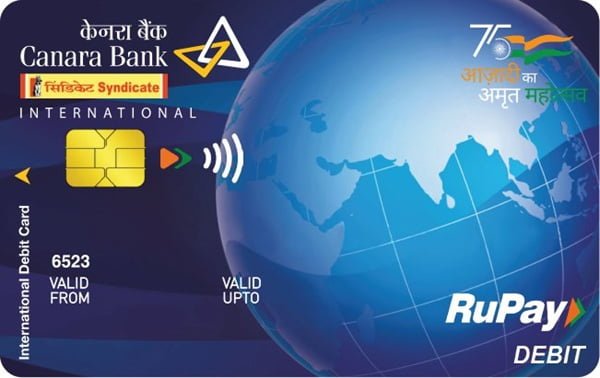
When you receive a new Canara Bank debit card, you need to generate a four-digit PIN before using the card normally. The PIN is required for ATM withdrawals and PIN-authenticated transactions at merchant outlets and is also an important part of the card activation process.
Canara Bank provides its Green PIN facility for generating or regenerating debit card PINs. Customers can create the PIN through a Canara Bank ATM, Canara Bank Mobile Banking, Internet Banking or the bank’s IVR facility. This means a branch visit is normally not required just to generate the PIN.
Canara Bank’s debit-card policy specifically states that PIN-based authentication is mandatory for activation of the card. The Green PIN facility is available for both personalized and non-personalized Canara Bank debit cards.
What Do You Need to Activate a Canara Bank Debit Card?
Keep the following ready before starting:
- Your Canara Bank debit card
- Mobile number registered with Canara Bank
- Access to the registered mobile number for receiving an OTP
- Account number linked with the debit card
- Debit card expiry date
- Mobile Banking MPIN if using Canara Bank Mobile Banking
- Internet Banking credentials if using the online method
- Transaction password or OTP when requested
Registration of the mobile number with the bank is particularly important. Canara Bank states that a registered mobile number in its banking system is mandatory for using the Green PIN/Forgot PIN facility.
How to Activate a New Canara Bank Debit Card
Canara Bank links debit-card activation with PIN-based authentication. Therefore, the first important step after receiving the card is to generate the four-digit debit card PIN.
A practical process is:
- Generate the four-digit debit card PIN using an ATM, Mobile Banking, Internet Banking or IVR.
- Once the PIN has been successfully generated, visit an ATM or merchant outlet.
- Insert the debit card.
- Enter your newly created four-digit PIN.
- Complete an ATM or PIN-authenticated Point of Sale transaction.
- Check that the transaction has been successfully processed.
Once the PIN has been created and the card has been successfully used with PIN authentication, it should be ready for normal permitted transactions.
Online, international and other transaction facilities may still depend on the card’s transaction settings. These can be enabled, disabled or assigned separate limits through the bank’s available channels.
Canara Bank Debit Card PIN Generation Through an ATM
Canara Bank provides the Green PIN/Forgot PIN option at its ATMs. The bank’s latest official Green PIN instructions provide the following process:
- Visit a Canara Bank ATM.
- Insert your debit card.
- Select PIN/Forgot PIN.
- Select Generate OTP.
- Enter the last four digits of the account number as displayed/requested.
- An OTP will be sent to your registered mobile number.
- Enter the OTP at the ATM.
- Enter a new four-digit PIN of your choice.
- Re-enter the same four-digit PIN for validation.
- The ATM will confirm that the PIN has been set successfully.
The latest Canara Bank Green PIN guide uses this last-four-digits-of-account-number process. Some older Canara Bank material describes an earlier ATM flow involving the full account number and registered mobile number, so customers should follow the instructions currently displayed on the ATM screen.
Choose a PIN that cannot be easily guessed. Avoid combinations such as 1234, 0000, repeated digits or numbers directly related to your date of birth.
Canara Bank Debit Card PIN Generation Through Mobile Banking
Canara Bank customers can also generate the debit card PIN through the bank’s Mobile Banking service, including the Canara ai1 mobile banking platform.
The official Green PIN instructions provide the following process:
- Log in to Canara Bank Mobile Banking.
- Select Cards.
- Select PIN Generation.
- Choose the required debit card if more than one card is displayed.
- Enter the card expiry date for validation.
- Enter a new four-digit debit card PIN of your choice.
- Complete authentication using your MPIN or OTP, as requested.
- Submit the request.
- The PIN will be set after successful authentication.
The exact appearance of menus can change when Canara Bank updates its mobile application, but the bank’s current official Green PIN document identifies Cards → PIN Generation as the relevant route.
Canara Bank Debit Card PIN Generation Through Internet Banking
Internet Banking provides another convenient way to generate a Canara Bank debit card PIN without visiting an ATM.
Follow these steps:
- Log in to Canara Bank Internet Banking.
- Open the Cards
- Select PIN Generation or Instant PIN Generation, depending on the menu displayed.
- Select or enter the required debit card details.
- Enter the card expiry date for verification.
- Choose the new four-digit debit card PIN.
- Complete authentication using the OTP or transaction authentication requested by the bank.
- Submit the request.
- The new PIN will be created after successful verification.
Canara Bank’s individual debit-card pages also describe the Internet Banking route as Cards → Instant PIN Generation, followed by card details, OTP and transaction-password authentication.
Canara Bank Debit Card PIN Generation Through IVR
Customers can also generate their debit card PIN by calling Canara Bank’s IVR from the mobile number registered with their bank account.
Canara Bank’s latest Green PIN guide lists:
1800 1030
as the number to use.
The current official IVR procedure is:
- Call 1800 1030 from your registered mobile number.
- Select your preferred language.
- Select the Canara Bank banking-services option.
- Choose Green PIN Generation.
- Select Debit Card Green PIN Generation.
- Enter your complete 16-digit debit card number.
- Confirm the card number when prompted.
- Enter the last five digits of the bank account linked with the card.
- Confirm the account details.
- An OTP will be sent to your registered mobile number.
- Enter the OTP through the IVR.
- Enter a new four-digit debit card PIN.
- Re-enter the PIN for confirmation.
After successful authentication, the new PIN becomes your debit card PIN.
Canara Bank currently promotes 1800 1030 as its 24×7 central customer-care number. Some older product pages still display older debit-card support numbers, so the latest Green PIN and customer-service information should be followed.
How to Enable Online Transactions on a Canara Bank Debit Card
A Canara Bank debit card may work at an ATM or merchant outlet but still be declined during an online purchase.
Canara Bank’s debit-card FAQs state that debit cards can be disabled for e-commerce transactions by default. Customers can enable e-commerce usage and set the required transaction limit through:
- Canara Bank Mobile Banking
- Canara Bank Internet Banking
- Canara Bank ATM
- Base branch
The bank’s latest debit-card feature information also states that ATM, POS and e-commerce facilities can be enabled or disabled and their limits can be managed through Internet Banking, Mobile Banking or the base branch.
Therefore, if the card works at an ATM but is declined for an online payment, check the e-commerce setting and transaction limit before assuming that the debit card has a technical problem.
How to Enable International Usage on a Canara Bank Debit Card
International usage is another setting that may have to be activated separately.
Canara Bank states that international/global usage can be activated through:
- Internet Banking
- Mobile Banking
- Base branch
Availability can depend on the particular debit-card variant. For example, international/global usage is not applicable to the PMJDY debit-card variant according to Canara Bank’s current card-feature document.
Do not enable international usage unless you actually require it. Keeping unnecessary transaction channels disabled can reduce the risk of unauthorized card use.
What Should You Do After Generating the Canara Bank Debit Card PIN?
Once the PIN has been generated successfully, perform a small ATM or merchant transaction using the four-digit PIN. This helps confirm that the PIN and debit card are functioning correctly.
Before using the card for online shopping or international purchases, check whether those facilities are enabled and whether the applicable transaction limit is sufficient.
You should also follow basic debit-card security practices:
- Never disclose your ATM PIN to anyone.
- Do not write the PIN on the debit card.
- Do not keep a written PIN together with the card.
- Never disclose an OTP received on your registered mobile.
- Do not share Mobile Banking or Internet Banking passwords.
Canara Bank specifically advises cardholders to memorize their PIN and not disclose it even to bank personnel.
What If Canara Bank Debit Card PIN Generation Fails?
If the PIN cannot be generated, first check whether:
- Your current mobile number is registered with Canara Bank.
- The correct debit card is being used.
- The card is linked with the account whose details you are entering.
- The account-number digits have been entered correctly.
- The debit card expiry date is correct when using Mobile or Internet Banking.
- You are entering the latest OTP received from the bank.
- The OTP has not expired.
- Your Mobile Banking MPIN or Internet Banking authentication details are correct.
- The debit card has not been blocked or hotlisted.
If PIN generation continues to fail, contact Canara Bank on 1800 1030 or approach your Canara Bank branch.
FAQs
1. Is the first Canara Bank Green PIN generation chargeable?
No. Canara Bank currently lists the first Green PIN generation as free. From September 1, 2026, the bank’s updated service-charge schedule lists Green PIN regeneration beyond the applicable free-transaction limit at ₹5 plus GST. Charges can be revised by the bank, so customers should check the current schedule if regenerating the PIN.
2. Can Green PIN be generated for both personalized and non-personalized Canara Bank debit cards?
Yes. Canara Bank’s debit-card issuance policy specifically states that the Green PIN/Forgot PIN facility is available for both personalized and non-personalized debit cards. The registered mobile number must be available in the bank’s system to use the facility.
3. Does Canara Bank still provide a physical PIN mailer?
Canara Bank encourages customers to use Green PIN through ATM, Mobile Banking, Internet Banking or IVR. Its debit-card policy, however, states that a paper PIN mailer may be provided in specific cases or where required under applicable requirements.
4. What should I do if my new Canara Bank debit card is lost before I start using it?
Do not wait to generate the PIN or activate the card. Block the debit card immediately. Canara Bank allows debit cards to be blocked through Mobile Banking or Internet Banking, and customers can also call the bank’s 24×7 number 1800 1030. The bank additionally provides a registered-email blocking facility for debit cards.